Done in about 2 min(How long it takes to do this in Orchesi)
Set up a poll and see the results
Choose whether a poll is anonymous or allows several answers, see who hasn't voted yet and put a chosen date straight into the agenda.
Where do you use Orchesi?
Creating a poll takes a minute. With the right settings, you also get an answer you can actually use. How to create a poll is in Share news and run a poll. Here’s everything you can set.
Two kinds of polls
- Regular Poll: members choose from answers you provide, for example Which piece do we play as an encore?
- Date Poll: members choose the dates that work for them. Handy for an extra rehearsal or a board meeting.
The settings
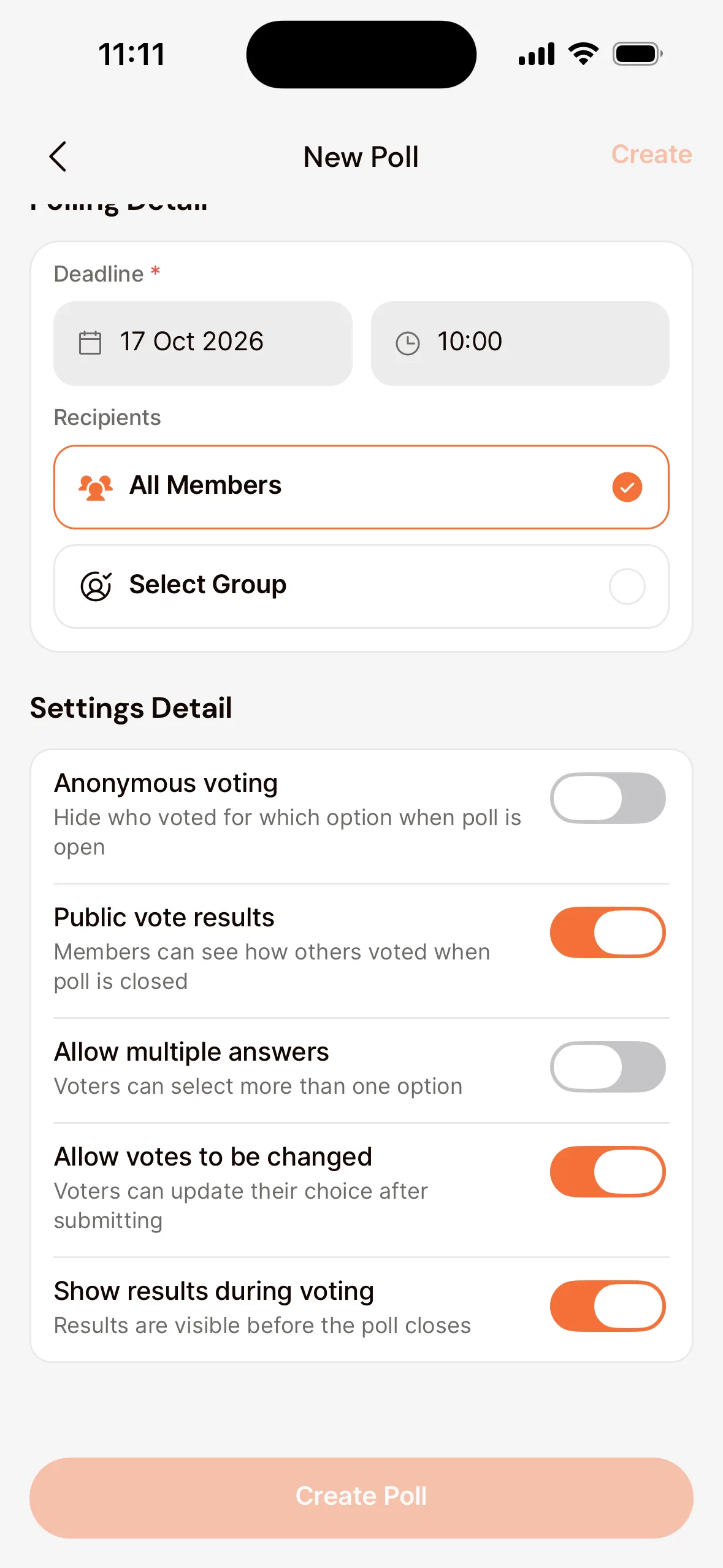
- Anonymous voting: while the poll is open, you don’t see who voted what.
- Public vote results: members see how others voted once the poll closes.
- Allow multiple answers: members may choose more than one answer.
- Allow votes to be changed: members may change their answer later.
- Show results during voting: members see the current results before the poll closes.
The results
- Open the Club tab, choose Polls and open the poll.
- You see how many votes each answer got. With View vote you see who voted what (except in an anonymous poll).
- Under Members not voted yet you see who could use a reminder.
Is a date poll closed? Tap Create Agenda for Rehearsal. Orchesi creates a rehearsal on the winning date, and you only need to check the details.
The settings
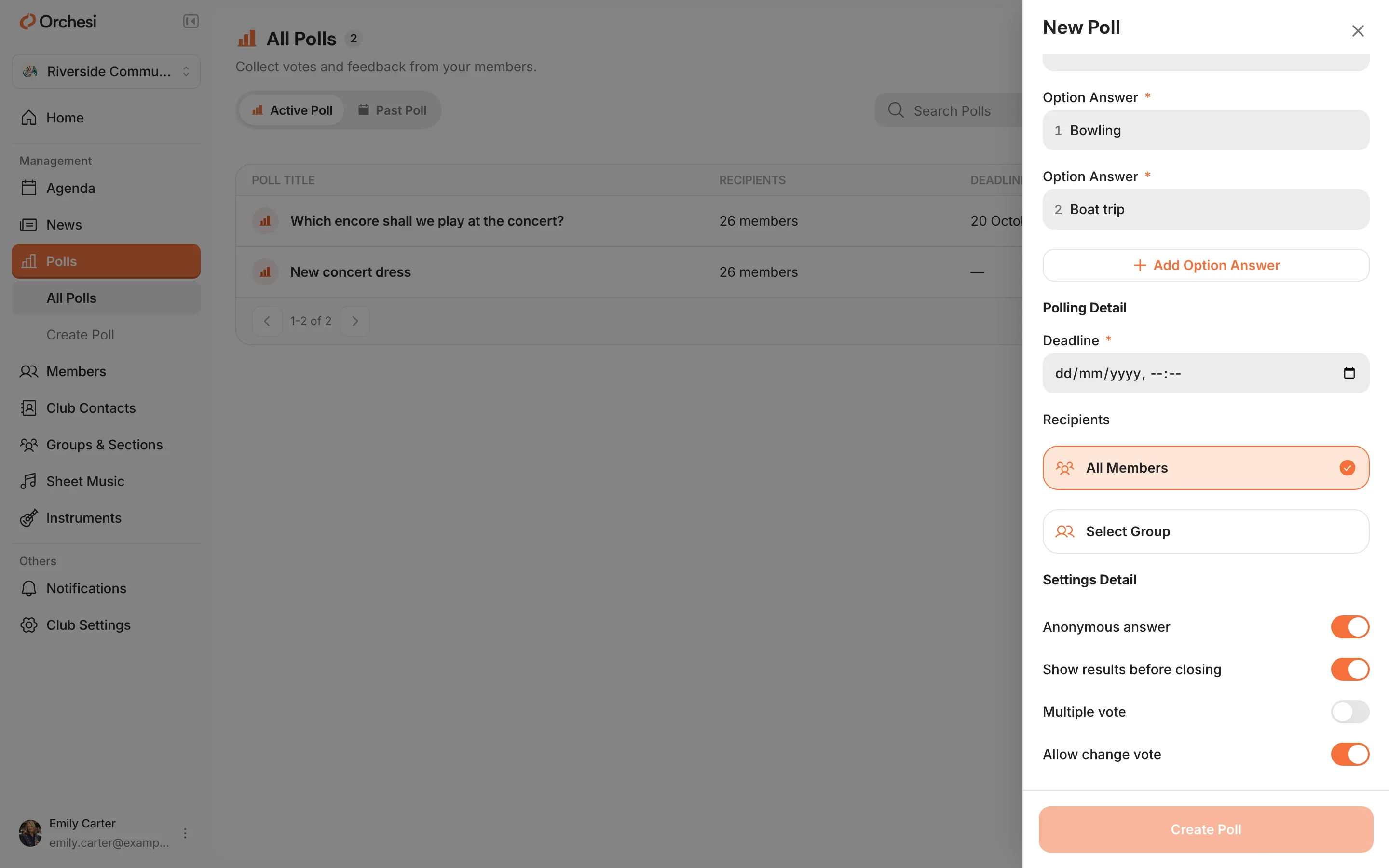
- Anonymous answer: you don’t see who voted what.
- Show results before closing: members see the current results before the poll closes.
- Multiple vote: members may choose more than one answer.
- Allow change vote: members may change their answer later.
The results
- Go to Polls in the menu and open the poll.
- You see each answer’s share of the votes. With View vote you see who voted what (except in an anonymous poll).
- Under Members not voted you see who could use a reminder.
Want to stop a poll before its deadline? Click Close.
Tip: set the deadline a few days before you need the answer. That leaves time to nudge members who haven’t voted.
Last updated:
Did this article help?
Great, thanks for letting us know!
Thanks! We’ll use this to improve the article.
Still stuck?