Done in about 2 min(How long it takes to do this in Orchesi)
Requests for a part, voice or section
Members who don't get a part can ask for one themselves. How to put someone in the right section or voice, upload the missing part or deny the request.
Where do you use Orchesi?
If a piece has no part for a member, Orchesi tells that member why. The member can then ask for a section, voice or part themselves, instead of through the group chat. Here’s how to handle those requests.
Someone asks for a section or voice
Only admins see this. The member isn’t in a section or voice yet, or is in a section that has no part. Often the member says which one they want.
- Open the Club tab, choose Members and go to Requests. The requests are under Requests for a section or Requests for a voice.
- Choose the section or voice. The member then gets all music shared by section or voice.
- Not right? Tap Deny. The member is told, and can ask again later.
- Go to Members in the menu and open the Requests tab. The requests are under Section requests or Voice requests.
- Choose the section or voice. The member then gets all music shared by section or voice.
- Not right? Click Deny. The member is told, and can ask again later.
Someone asks for a part
Admins and sheet music managers see this. The member may open the piece, but it has no part for them. In the library you see, for example, 2 members are missing a part, with the pieces listed.
Open the library through the Club tab, Sheet Music Library, and tap the piece in the notice. On the request, choose what to do.
Go to Sheet Music Library in the menu and click View in the notice. Under Part requests, choose what to do.
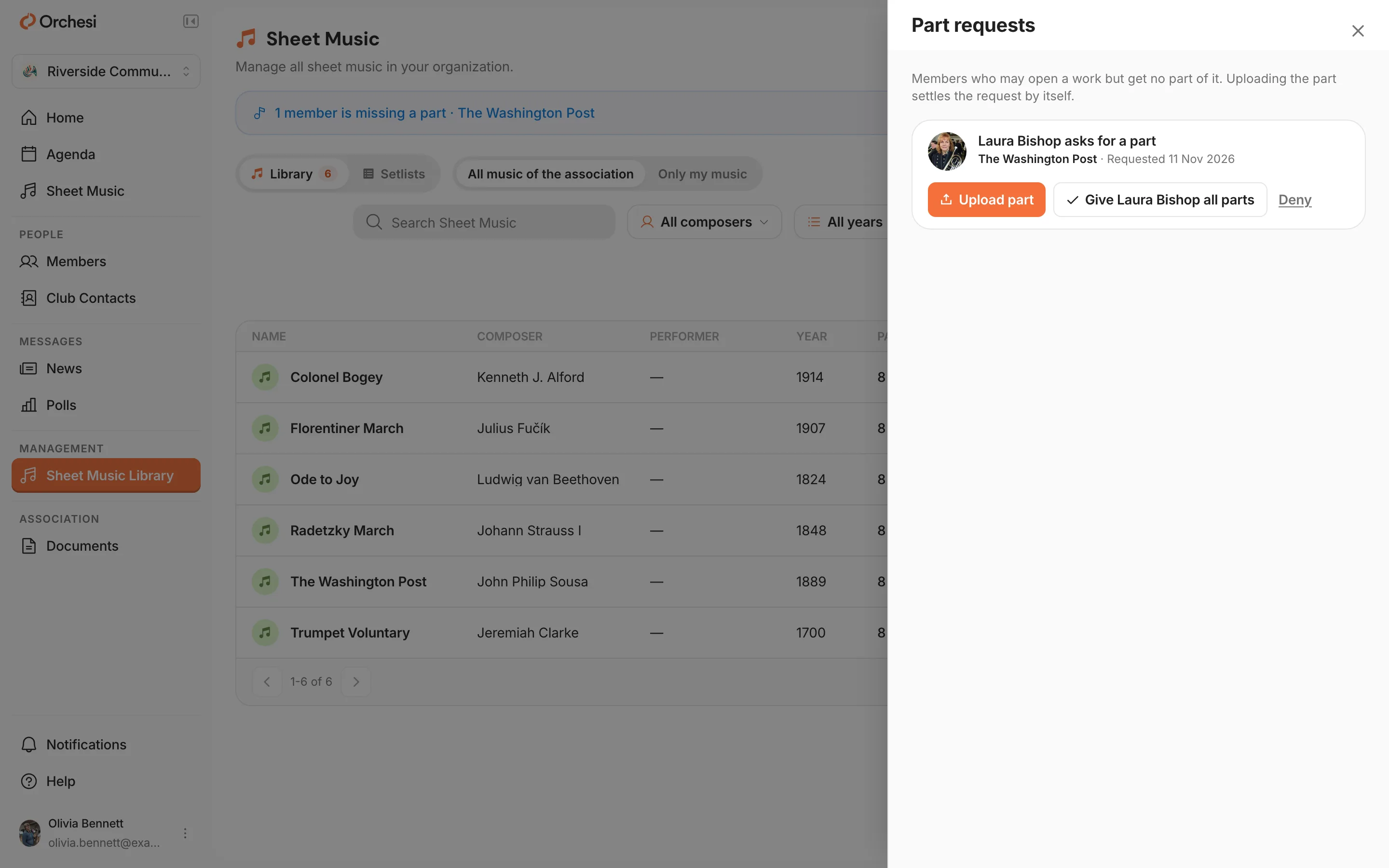
- Upload part: if you upload the missing part, the request is handled automatically.
- Give all parts: the member can open every part of this piece.
- Deny: the member is told there’s no part for now.
Good to know: a member can also withdraw a request. If a request is no longer in the list, someone handled it or it was withdrawn.
Last updated:
Did this article help?
Great, thanks for letting us know!
Thanks! We’ll use this to improve the article.
Still stuck?