Done in about 2 min(How long it takes to do this in Orchesi)
Verify your association with the letter
Why Orchesi verifies your association, how to enter the code from the letter and what to do if the letter doesn't arrive.
Where do you use Orchesi?
Every association in Orchesi is verified with a letter by mail. That’s how we know your association really exists, and that only its real board runs it. Until it’s verified, your association shows an unverified badge, and you can’t set up the subscription yet.
How it works
- After you create your association, we send a letter to your association’s address.
- The letter usually arrives within 7 business days, and contains a 6-character code.
- Enter that code in Orchesi. Done.
Enter the code
- Go to Club Settings in the menu, Association details tab.
- Under Association verification, enter the code from the letter and click Verify.
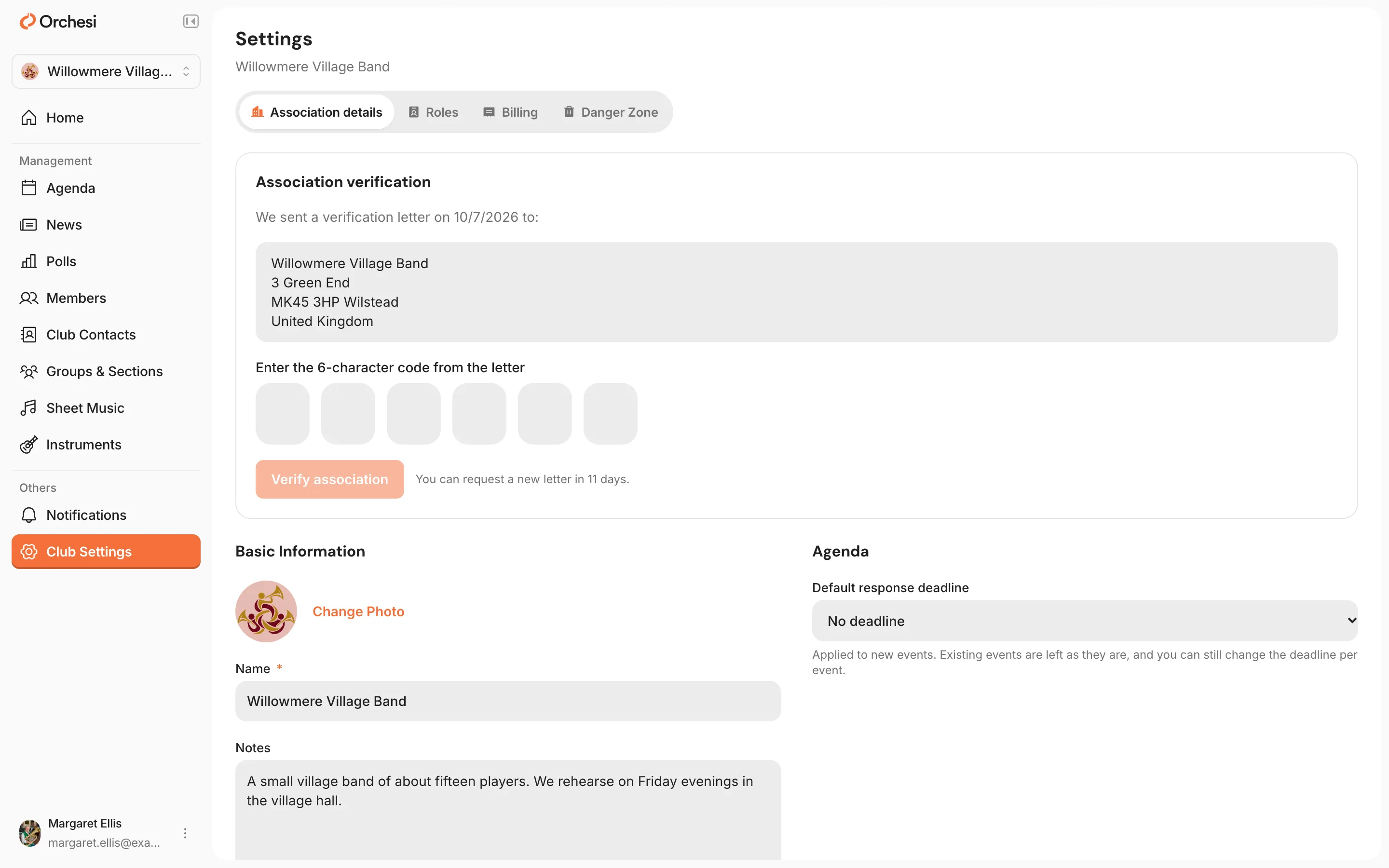
Haven’t had the letter sent yet? Click Send verification letter first.
Enter the code
- Open the Club tab. At the top is a notice asking you to verify your association.
- Tap Enter Code, enter the code from the letter and confirm.
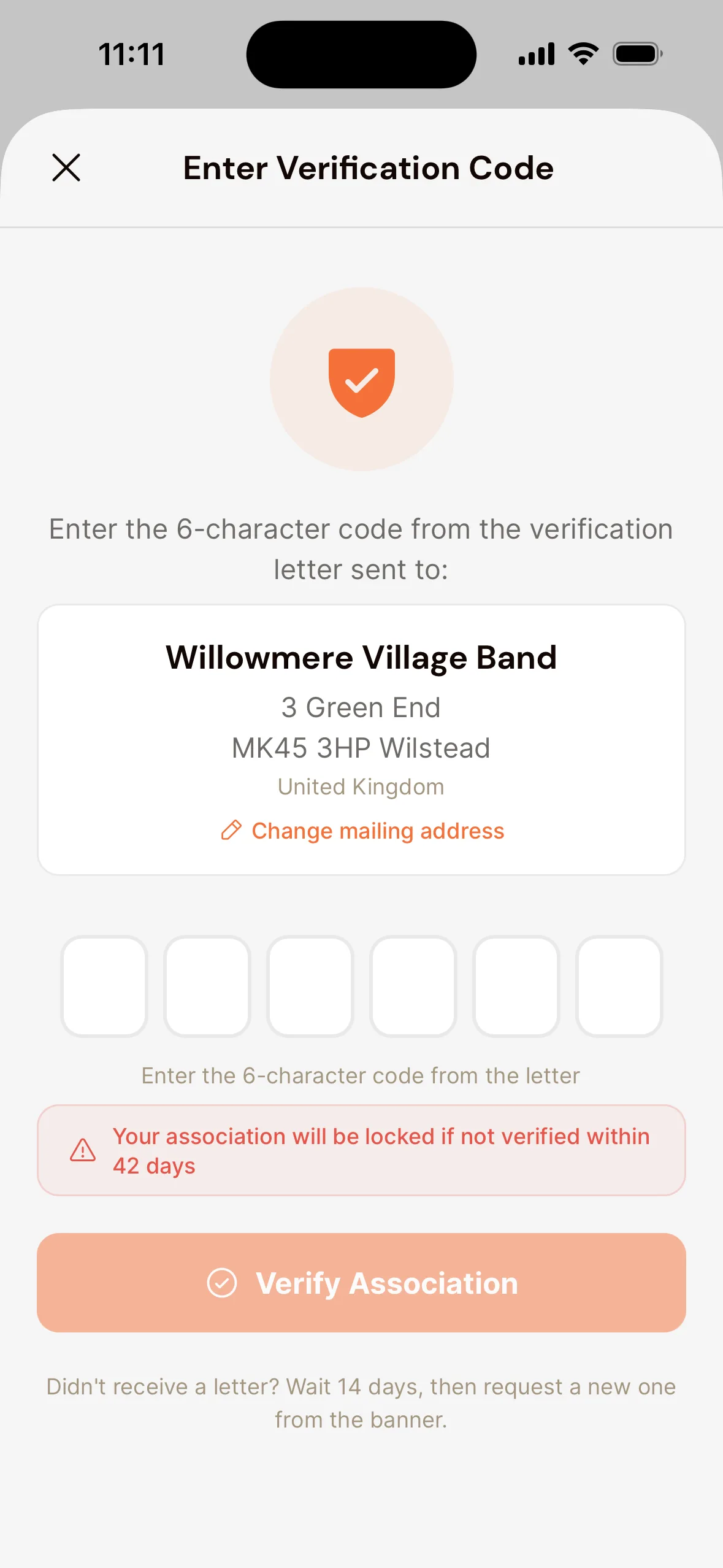
Chose to verify later when you created the association? Tap the button to send the letter first.
Want the letter sent somewhere else?
Does your association’s mail go to the treasurer’s home, for example? Then set a different Mailing address in the app: open the Club tab, choose Settings and then Association Details. Do this before you have the letter sent.
No letter?
First check the mailbox at your association’s address carefully. If the letter still hasn’t arrived after 14 days, ask for a new one with Request a new letter (in the app: Request New Letter). The code from the first letter then stops working. Still no luck? Get in touch with us.
Note: verify your association in time. The notice shows how many days you have left. If your association isn’t verified in time, it’s locked.
Last updated:
Did this article help?
Great, thanks for letting us know!
Thanks! We’ll use this to improve the article.
Still stuck?