Done in about 3 min(How long it takes to do this in Orchesi)
Your subscription and payment
How the free trial works, what an active member is, how to set up payment, use a promo code and find your invoices.
Where do you use Orchesi?
Orchesi has one price with every feature: you pay per active member per month, with a monthly maximum. Current amounts are on the pricing page. The subscription is handled by admins and the financial manager.
The free trial
A new association uses Orchesi free for the first 3 months, without payment details. The app shows how many days of your trial are left. Set up a payment method before it ends, and everything carries on as normal.
If you have no payment method when the trial ends, your association is frozen. Your data stays visible.
What’s an active member?
- Someone who accepted their invitation and is on the member list.
- Guests don’t count.
- If someone joins or leaves mid-month, it’s prorated per day.
Verify first
Before you can set up a payment method, your association needs to be verified with the letter. See Verify your association with the letter.
Set up a payment method
- Go to Club Settings in the menu, Billing tab.
- Next to Payment Method, click Set Up Payment and follow the steps. You pay monthly, by credit card, iDEAL or SEPA direct debit.
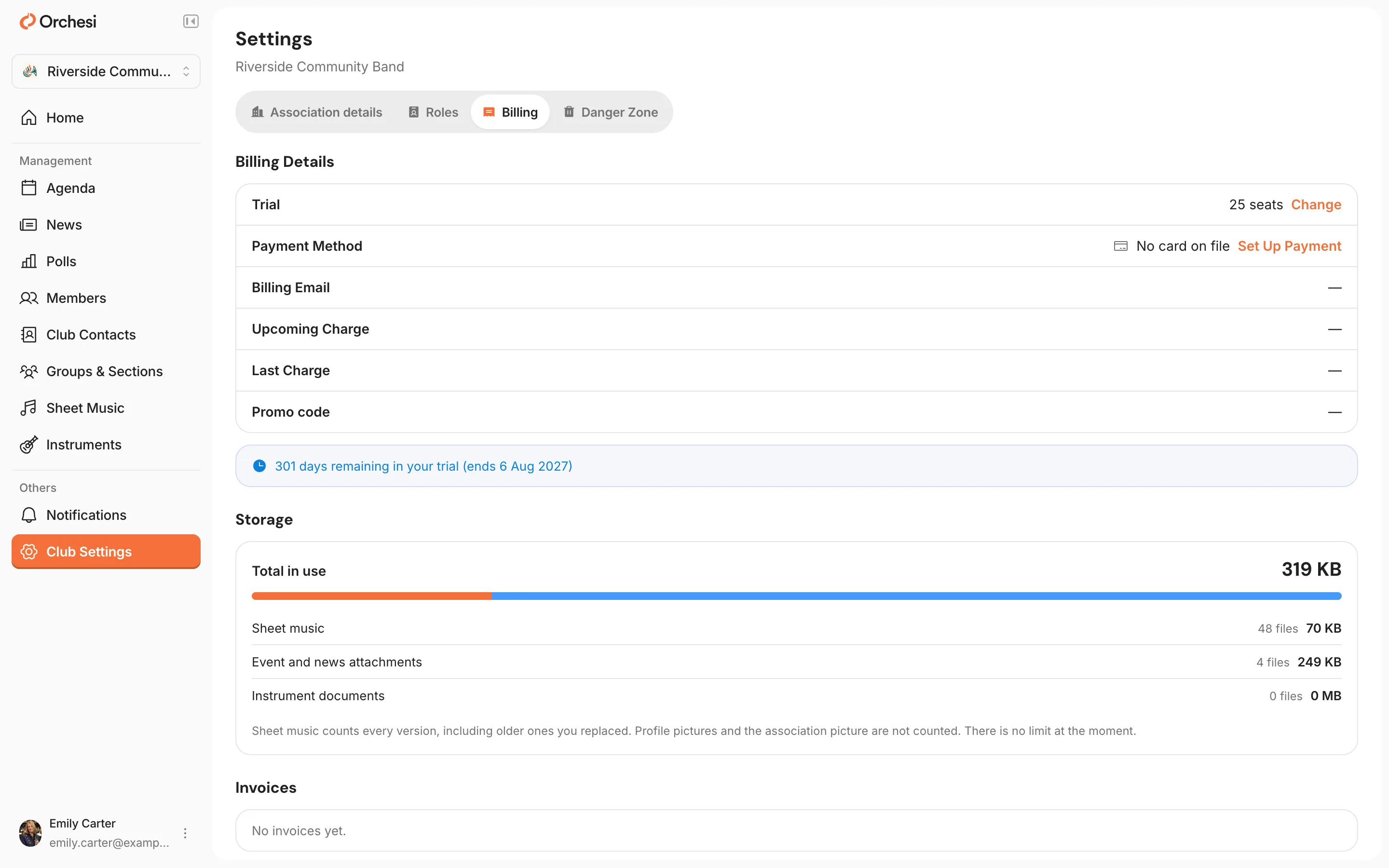
Want a different payment method or billing email later? Click Change next to Payment Method. If your association isn’t verified yet, this tab shows a notice at the top, and you can’t set up payment or change the number of seats yet. You can already redeem a promo code.
Canceled and want to continue after all? Click Resubscribe next to your subscription.
Invoices and storage
Under Invoices you download every invoice. Under Storage you see how much space your sheet music and attachments use.
A promo code
Got a promo code? Click Redeem a code. A code extends your free trial. You can use one code per association. See Redeem a promo code.
Set up a payment method
- Open the Club tab, choose Settings and then Billing & Subscription.
- Tap Add Payment Method and follow the steps. You pay monthly, by credit card, iDEAL or SEPA direct debit.
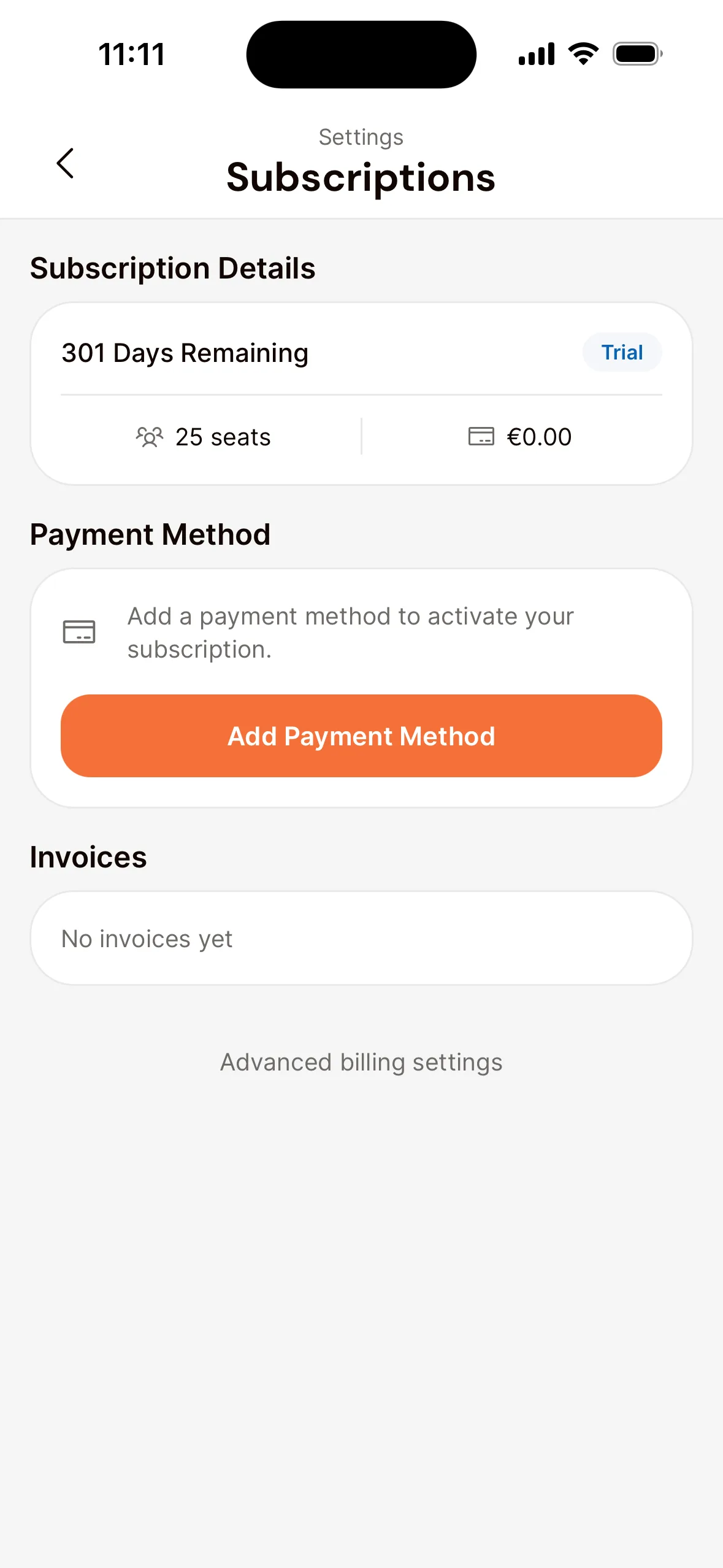
Your invoices are listed under Invoices. A different payment method is under Advanced billing settings.
If a payment fails
See a failed payment, or is your subscription suspended? Update your payment method: on the website with Change next to Payment Method, in the app through Advanced billing settings. After that, everything works again.
Canceling
Your subscription can be canceled monthly, with no annual contract. To cancel, send us a message through Help & Support in the app.
Still under contract with another tool? Then you use Orchesi free until that contract ends. Send the invoice from your current tool to our support team, and we’ll take care of the rest.
Last updated:
Did this article help?
Great, thanks for letting us know!
Thanks! We’ll use this to improve the article.
Still stuck?