Done in about 2 min(How long it takes to do this in Orchesi)
Redeem a promo code
A promo code from a flyer or email gives your association a longer free trial. Here's how to redeem it, when you create your association or later.
Where do you use Orchesi?
Got a promo code, for example on a flyer or in an email? It gives your association a longer free trial. You redeem the code when you create your association, or later in your subscription settings.
Good to know: a promo code only extends the free trial. It’s not a discount on your subscription. Each association can use one code.
When you create your association
This is the easiest way: your association starts with the longer trial right away.
- Create your association as described in Create your association in Orchesi.
- In the form, click Have a promo code?.
- Enter the code under Promo code. Orchesi checks it right away and shows what you get, for example XMAS2026: 180-day free trial.
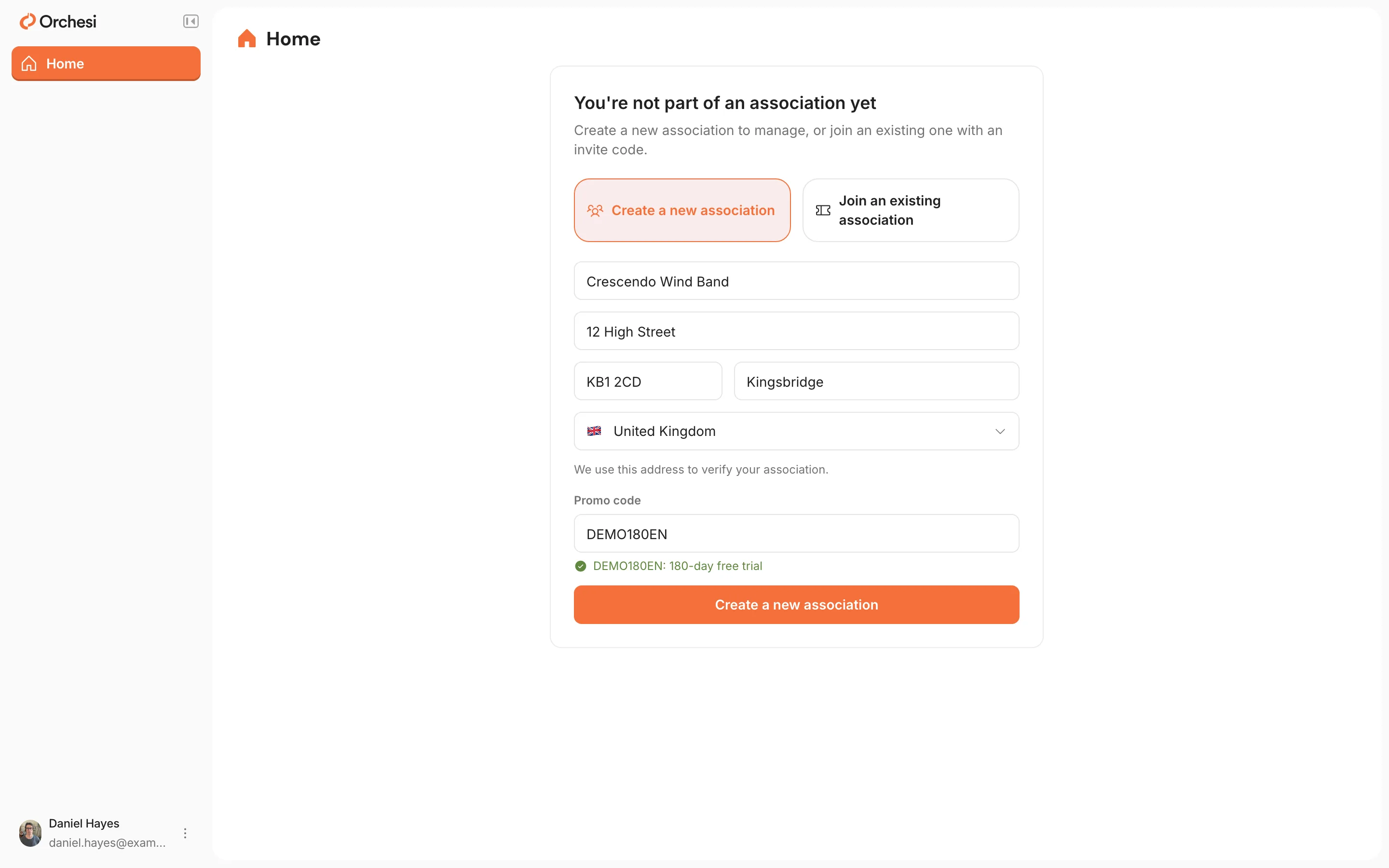
- Create your association. A message shows when your trial ends.
- Create your association as described in Create your association in Orchesi.
- The last step, Review your association, has a Promo code · optional section. Enter your code there.
- The app checks the code right away and shows what you get, for example XMAS2026: 180-day free trial.
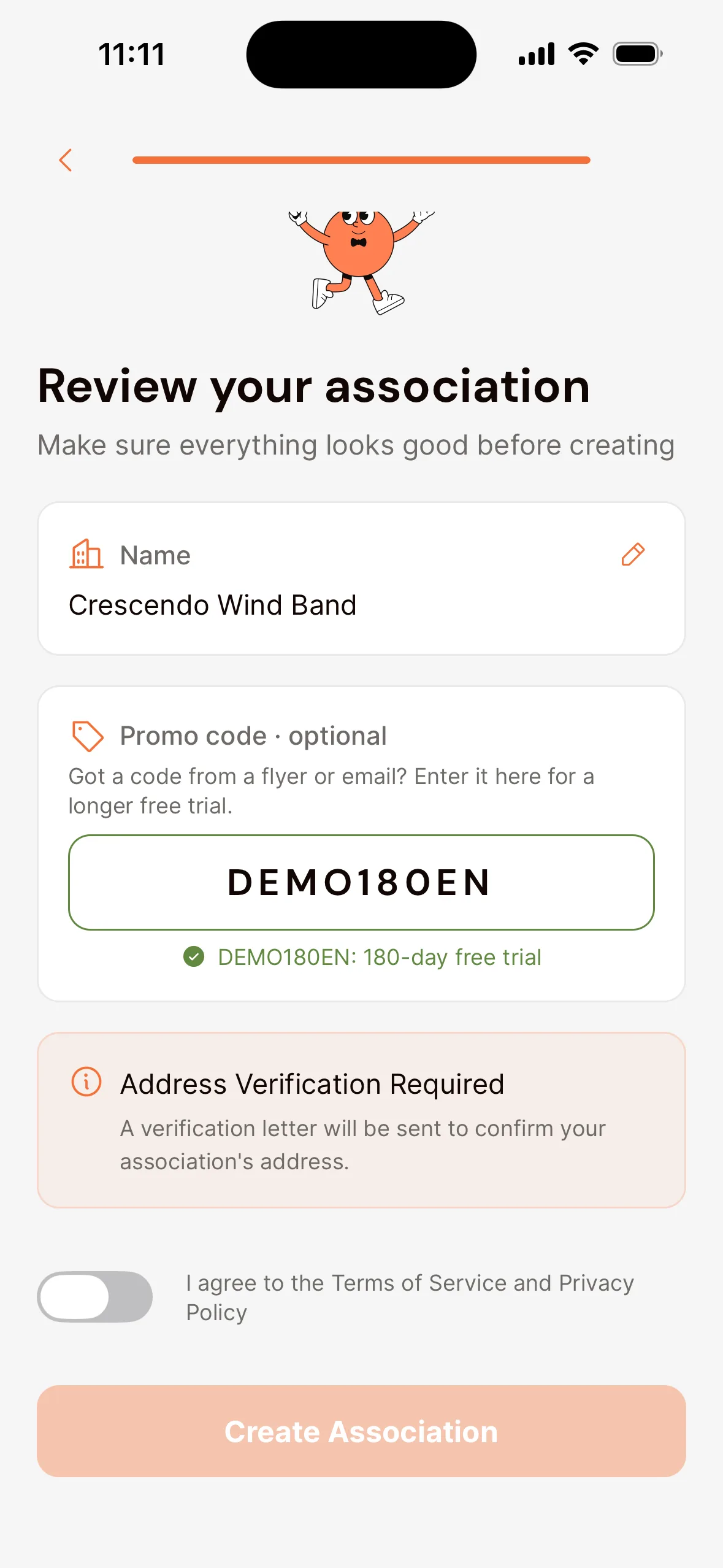
- Create your association. A message shows when your trial ends.
What if the code can’t be applied after all? Your association is still created, with the regular trial, and you see why the code didn’t work.
With a QR code or link
Is there a QR code on the flyer? Scan it with your phone.
- Already have the app? The app opens with the code already filled in when you create your association.
- Don’t have the app yet? You see a page to download the app, showing your code. Remember the code and enter it when you create your association.
- Opening the link on your computer? orchesi.app remembers the code for a week and fills it in when you create your association.
Later, for an existing association
Does your association already exist? Then an Admin or the Financial manager can redeem the code while the free trial is running. Your association doesn’t need to be verified for this.
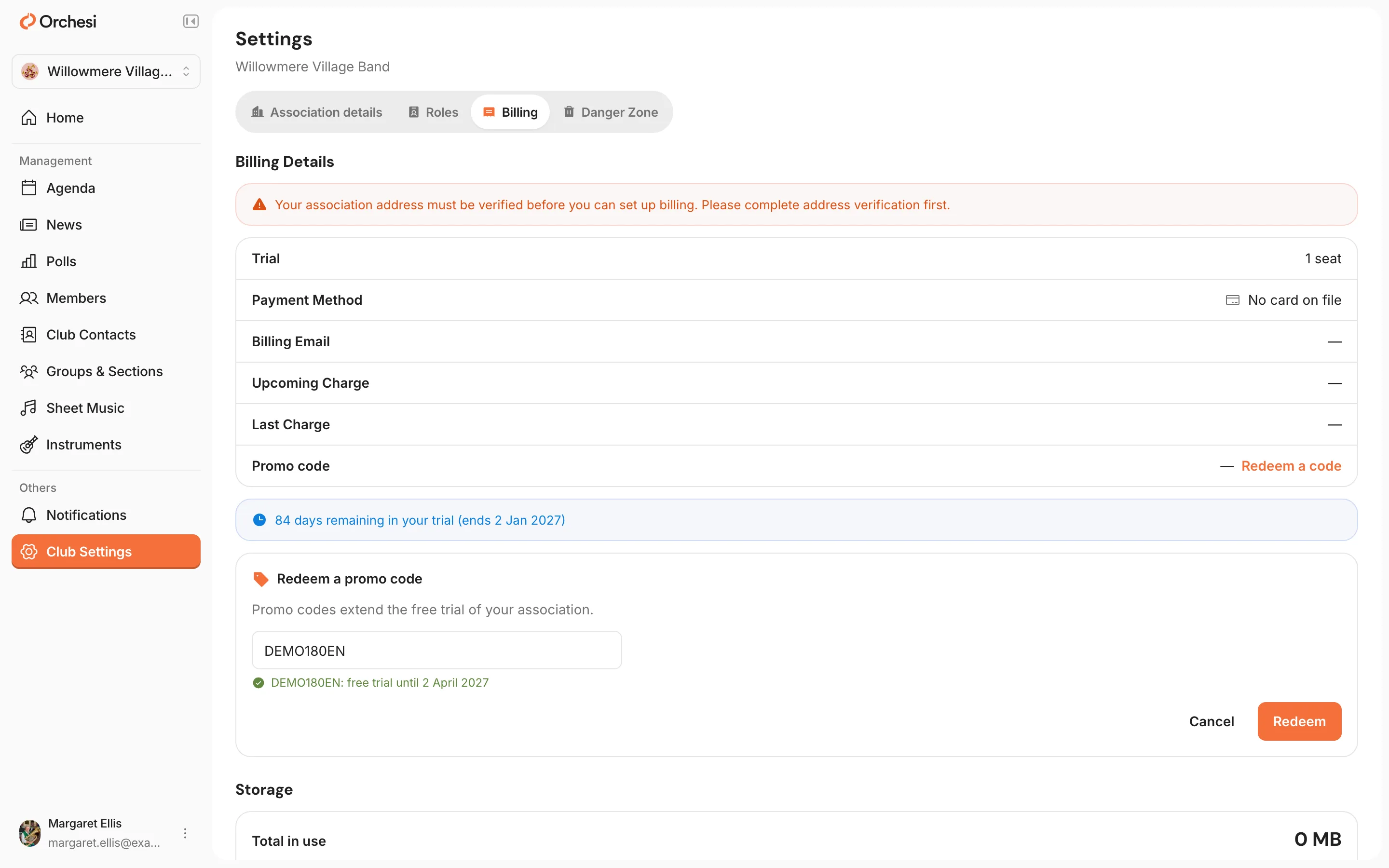
- Go to Club Settings in the menu, Billing tab.
- Next to Promo code, click Redeem a code.
- Enter the code and click Redeem.
- Open the Club tab, choose Settings and then Billing & Subscription.
- Tap Redeem a promo code.
- Enter the code and tap Redeem.
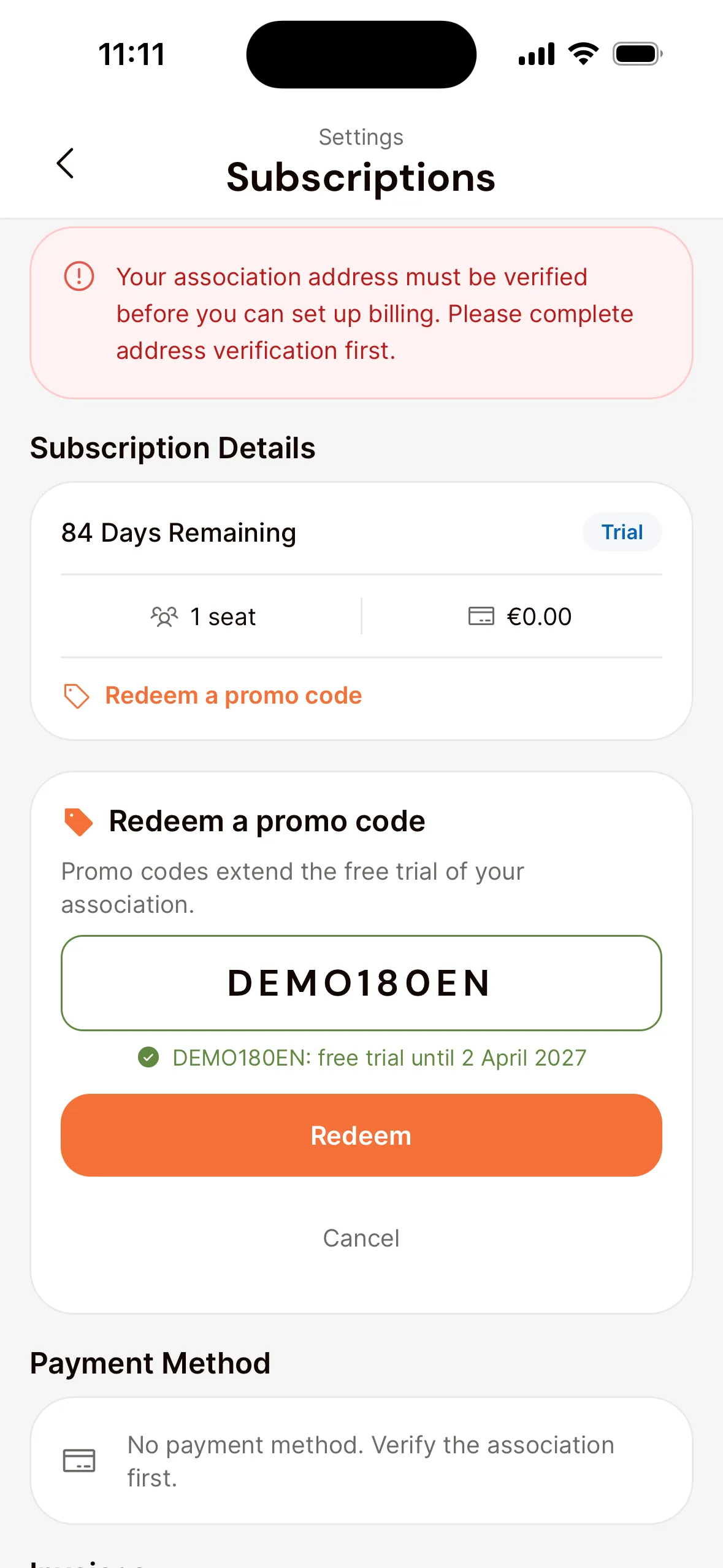
Your subscription then shows which code you used and when your trial ends.
Has your trial already ended and was your association frozen because there was no payment method yet? You can still redeem a code. Once your association pays for Orchesi, you can’t.
If your code doesn’t work
Only letters and digits count, not capitals, spaces or hyphens: xmas-2026 works just as well as XMAS2026. If you see a message, this is what it means:
| Message | What it means |
|---|---|
| We don’t recognise this code. | Check that you typed the code correctly. |
| This code isn’t valid yet. | The promotion hasn’t started yet. Try again later. |
| This code has expired. / This code is no longer active. | The promotion is over. |
| This code has been used up. | The code has been used as often as it could be. |
| A promo code was already used for this association. | Your association already used a code. You can only use one. |
| Promo codes can only be used during the free trial. | Your association already pays for Orchesi. |
| This code would not extend your current trial. | Your trial already runs as long as the code would give, or longer. A trial never lasts more than a year. |
See Code recorded or will be applied shortly? Your code was received but not processed yet. That happens automatically; you don’t need to do anything.
Still stuck? Send us a message through Help & Support in the app.
Last updated:
Did this article help?
Great, thanks for letting us know!
Thanks! We’ll use this to improve the article.
Still stuck?