Step 1 of 9 · Setting up your associationDone in about 5 min(How long it takes to do this in Orchesi)
Create your association in Orchesi
Create your account and your association, and verify your association with a letter. Then set up Orchesi before you invite your members.
Where do you use Orchesi?
You start with an account and an association. Then you set up Orchesi (groups, sections and the first rehearsals), and only then do you invite your members. Whoever creates the association automatically becomes its admin.
Good to know: the first 3 months are free. After that the association pays per active member; for members themselves, Orchesi is always free.
Create your account and association
- Go to orchesi.app and create an account. You fill in your name, email address and password, and optionally a photo and your instruments.
- Home then shows You’re not part of an association yet. Choose Create a new association.
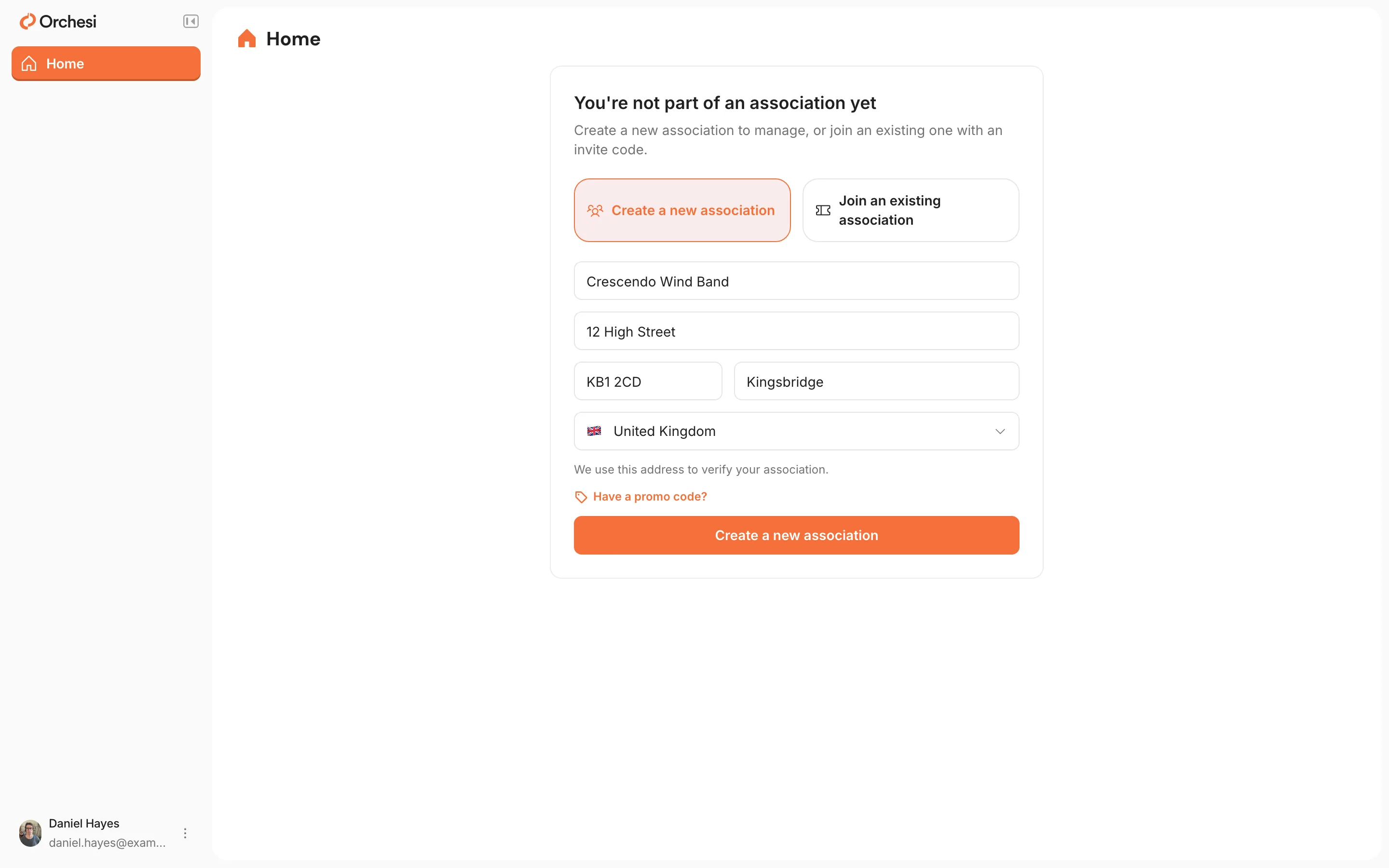
- Fill in the Association name and the address: Street and number, Postcode, City and Country. Use your association’s official address, because that’s where we send the verification letter.
- Click Create a new association below the form.
Already have an account, for example because you’re a member of another association? Choose Add association in the menu.
Create your account and association
- Download the Orchesi app from the App Store or Google Play and create an account.
- After filling in your profile, choose Create New Association.
- Under Name your association, enter the name and tap Create Association.
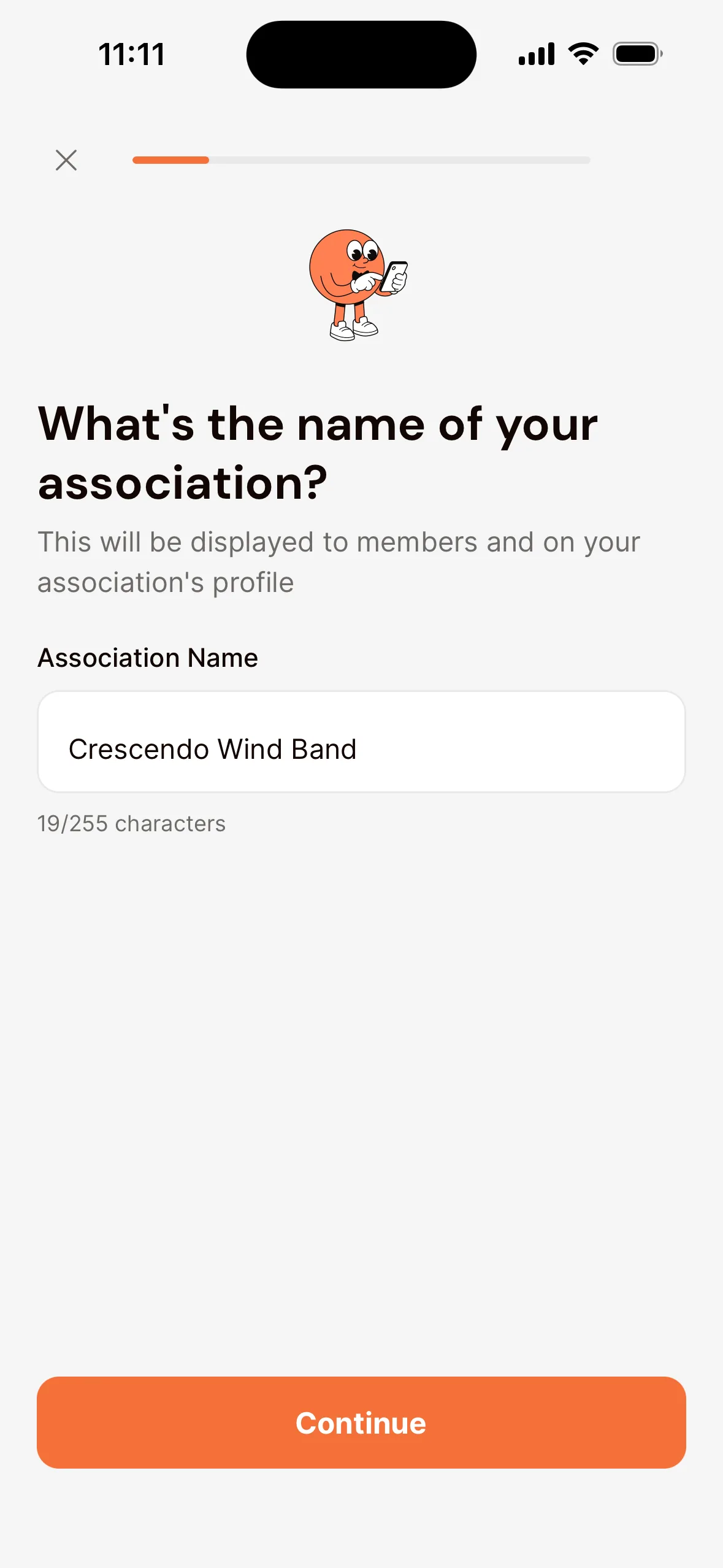
Seeing This association may already exist? Then your association might already be in Orchesi, for example because another board member created it. Choose Yes, Request to Join if it’s yours, or No, it’s different to carry on.
Verify your association
Verification shows that your association really exists. Members then see a verified label, and you can set up billing.
- In the web app, go to Settings → Club Settings, to Association verification.
- Check the address and click Send verification letter.
- The letter usually arrives within 7 business days. Enter the 6-character code from the letter and click Verify association.
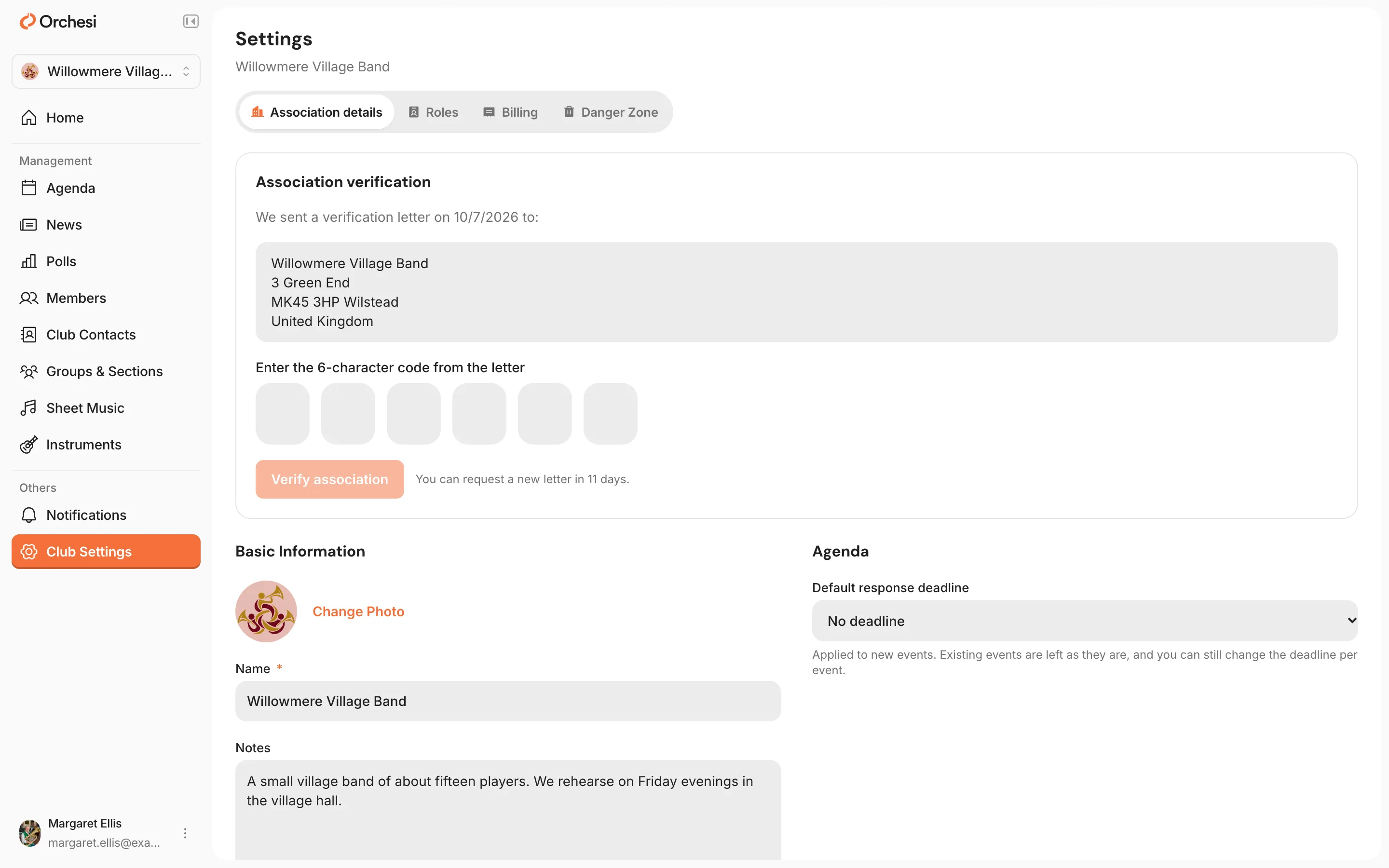
You don’t have to wait for the letter: you can carry on setting up your association right away.
You’re now the only admin. As soon as your members are in, give at least one other person the Admin role, for example another board member. That way your association is never stuck if you’re unreachable or leave. See Give roles to the board, conductor and managers.
Last updated:
Did this article help?
Great, thanks for letting us know!
Thanks! We’ll use this to improve the article.
Still stuck?
All steps
Setting up your association
- 1Create your association in Orchesi
- 2Create groups and sections
- 3Plan rehearsals and events
- 4How to bring your members along to Orchesi
- 5Ready-made messages for your members
- 6The easiest way to invite all your members
- 7Invite members straight into the right groupsoptional
- 8Import your members from Excel or CSVoptional
- 9Give roles to the board, conductor and managers