Step 2 of 9 · Setting up your associationDone in about 5 min(How long it takes to do this in Orchesi)
Create groups and sections
Organize your association by orchestra, choir or ensemble and by section. A template adds all sections of a concert band, brass band or choir at once.
Where do you use Orchesi?
Groups and sections decide who sees what. A group is, for example, your concert band, your youth orchestra or your choir. A section is part of it, like the clarinets or the sopranos. Members see the rehearsals of their groups, and the sheet music of their section.
Tip: create your groups and sections before you invite members. Then you can put everyone in the right place as you invite them.
Create a group from a template
- Open the Club tab and choose Groups.
- Tap Create Group and enter the name, for example Concert Band.
- Under Use Group Template, choose a template: Concert Band, Brass Band or Choir. Under Sections that will be created you see which sections come with it, such as Clarinets, Trumpets and Percussion.
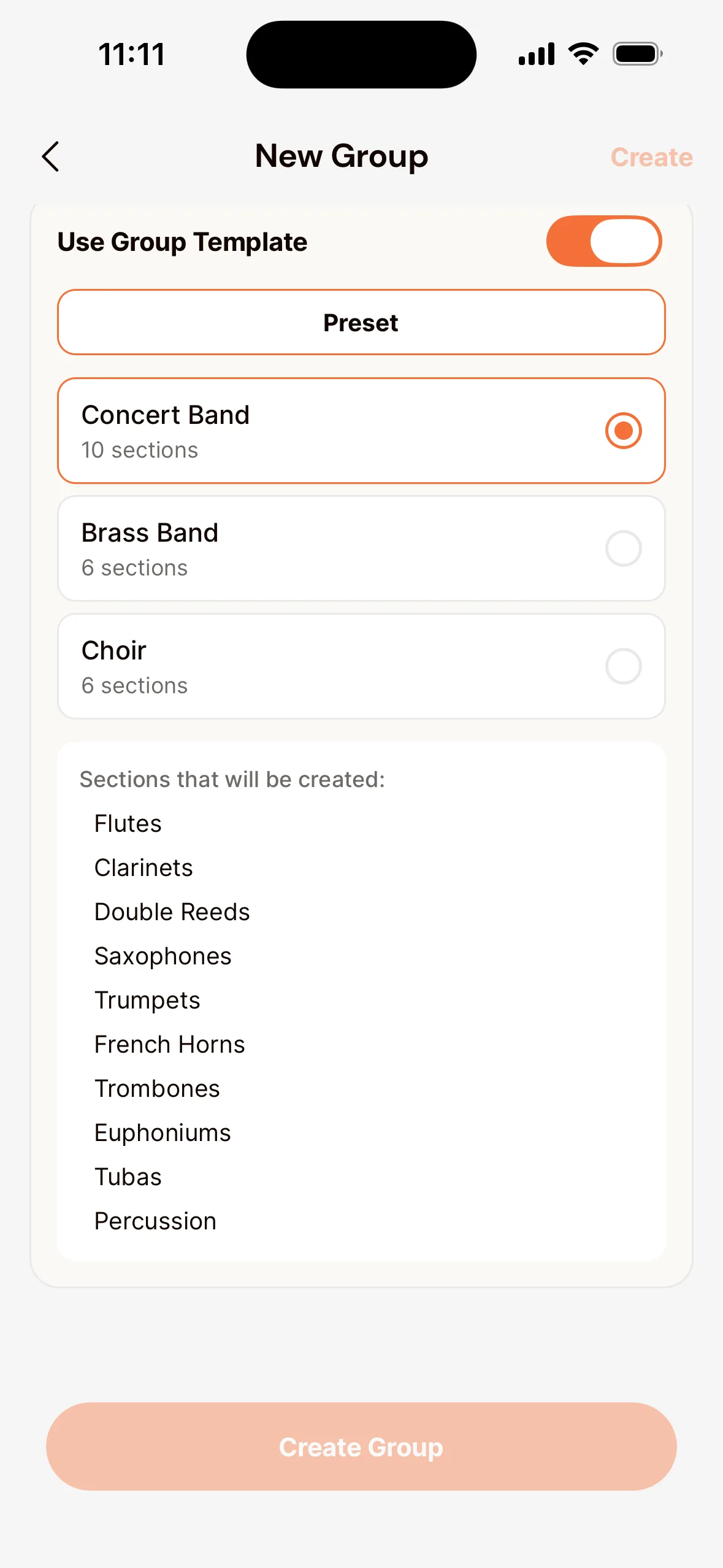
- Confirm. The group is there, with all its sections.
Already have a group with the right sections? Choose Copy from Group.
Add a section
Open the group and tap Add Section, for example for a section the template didn’t include.
Create a group
- Go to Groups & Sections in the menu and click New Group.
- Enter the Name, for example Concert Band, and optionally a Description.
- Click Create Group.
Add sections
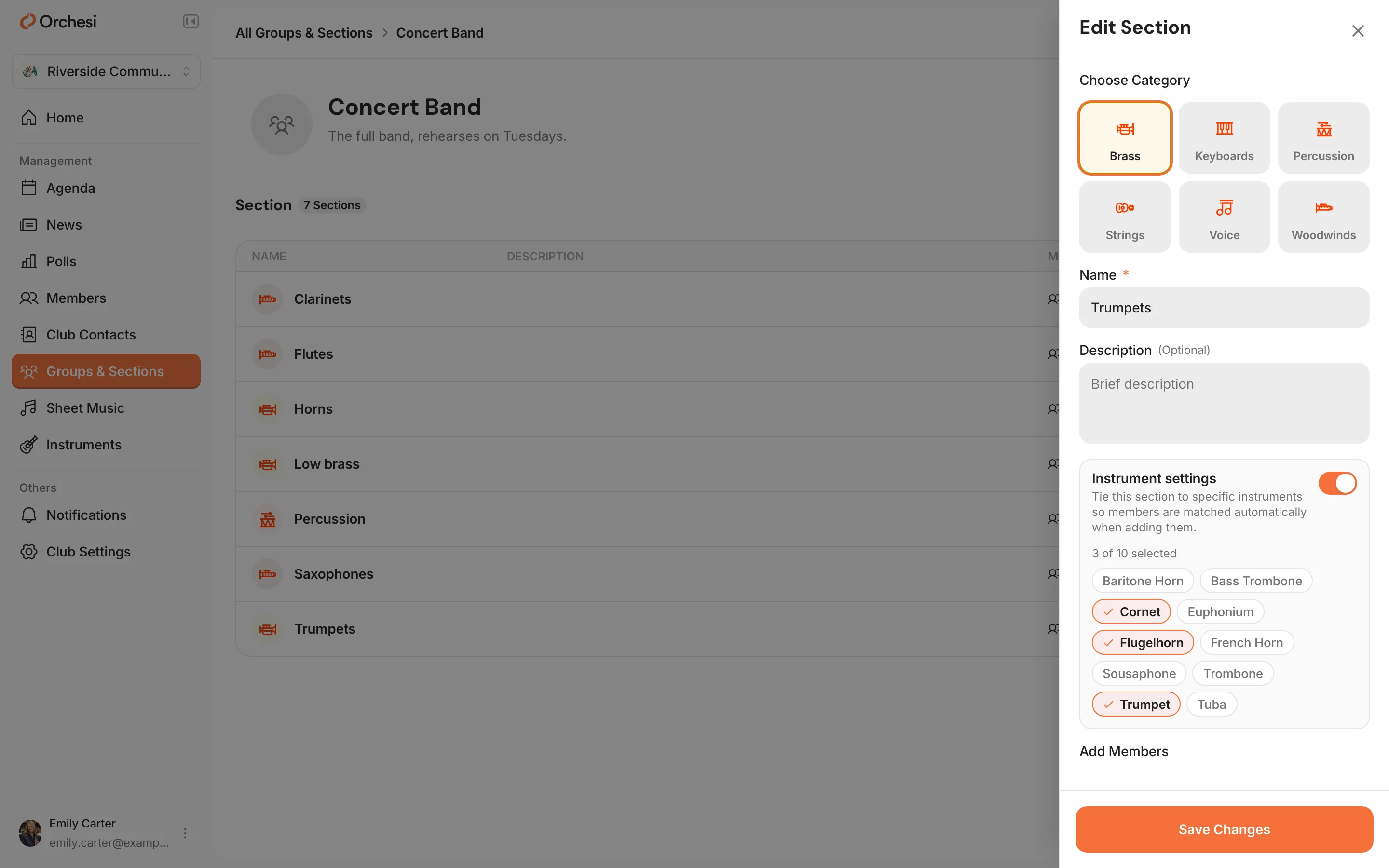
- Open the group and click Add Section.
- Enter the name, for example Brass, and click Create Section.
- Under Instrument settings, link the instruments that belong to this section. Members with those instruments are then suggested automatically when you add members.
Tip: in the app you can create a group from a template for a concert band, brass band or choir, so all sections are there at once.
A handy way to set up your association
- One group per orchestra, choir or ensemble that rehearses together, for example Concert Band, Youth Orchestra and Percussion Group.
- Sections per instrument or voice part within that group.
- The board or a committee can have a group too, for example for meetings.
You put members in groups and sections when you invite them, or later from the group with Add Member.
Last updated:
Did this article help?
Great, thanks for letting us know!
Thanks! We’ll use this to improve the article.
Still stuck?
All steps
Setting up your association
- Create your association in Orchesi
- 2Create groups and sections
- 3Plan rehearsals and events
- 4How to bring your members along to Orchesi
- 5Ready-made messages for your members
- 6The easiest way to invite all your members
- 7Invite members straight into the right groupsoptional
- 8Import your members from Excel or CSVoptional
- 9Give roles to the board, conductor and managers