Done in about 1 min(How long it takes to do this in Orchesi)
See who's coming, and keep a roll call
See per rehearsal who's coming, who isn't and who hasn't responded yet, per section, and check off during the rehearsal who's really there.
Where do you use Orchesi?
No more rounds through the group chat: you see straight away who’s coming to each rehearsal or concert. That way the conductor knows in advance whether there’ll be enough players.
Who’s coming?
- In the Agenda, open the rehearsal or concert.
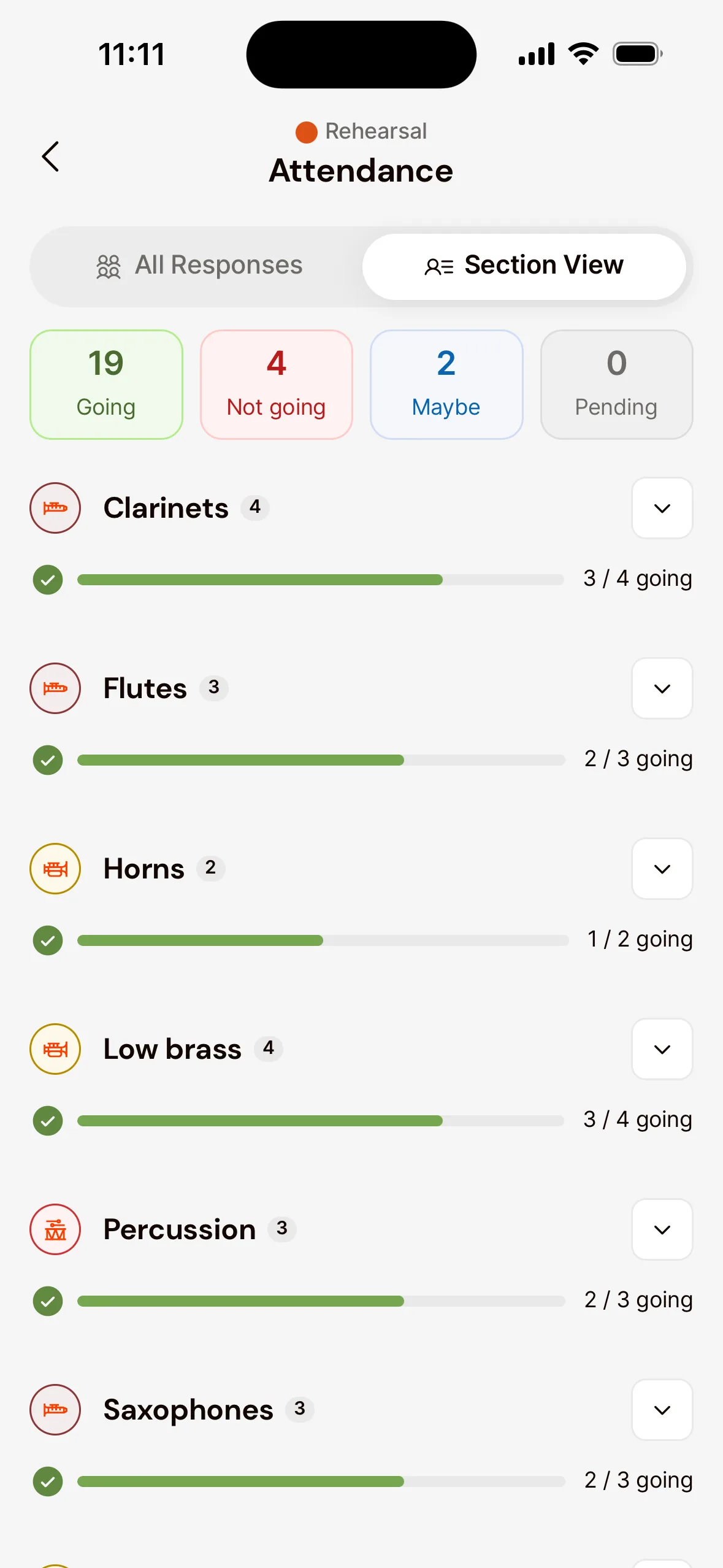
- Under Responses you see how many members said Yes, No or Maybe, and who’s still Pending. Tap View All for the names.
- Choose Section View to see who’s there per section, handy to check whether, say, the horns are complete.
Roll call during the rehearsal
Want to keep track of who’s really there? Open the rehearsal’s Roll Call and tap a member, or swipe, to mark them as Present or Absent.
With VoiceOver or TalkBack, each member offers the actions Mark as present, Mark as absent and Clear mark.
Who’s coming?
- Go to Agenda in the menu and open the rehearsal or concert.
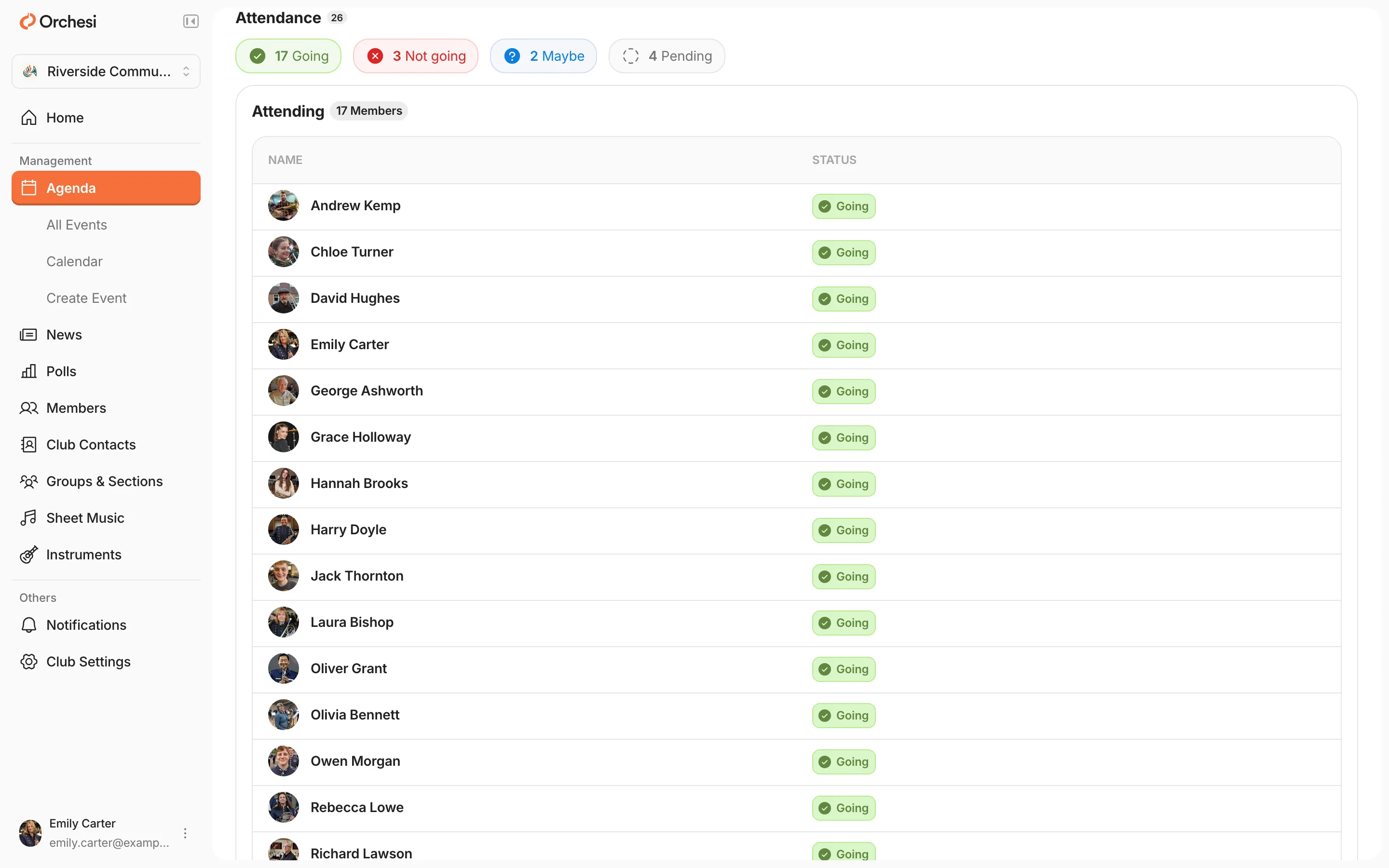
- Under Attendance you see who’s Attending, Not Attending or Maybe, and who’s still Pending.
Viewing per section and keeping a roll call is done in the app. Choose App at the top of this article.
Hide attendance from members
Don’t want members to see whether the others are coming? Turn on Attendance hidden from members for the event, when you create it or through Edit. You can do this per event or for a whole series of rehearsals.
- Members then see only their own answer. Where the responses normally are, they see Attendance is hidden. They don’t see the counts either.
- Admins, conductors and agenda managers still see everyone, and roll call works as always.
In the web app’s agenda, such an event shows a crossed-out eye instead of the number of responses.
Few responses? Turn on Attendance required for the event and set a response deadline. Members then get a reminder, and you know where you stand in time.
Last updated:
Did this article help?
Great, thanks for letting us know!
Thanks! We’ll use this to improve the article.
Still stuck?