Done in about 2 min(How long it takes to do this in Orchesi)
Change, cancel or delete an event
Change a rehearsal or a whole series, let members know a rehearsal is off, or delete an event that shouldn't be there.
Where do you use Orchesi?
Plans change: the hall is booked, the conductor is sick or the concert starts half an hour later. Here’s how to update the agenda without members missing it.
Cancel or delete? If a rehearsal isn’t happening, cancel it. It stays in the agenda as Cancelled, members are notified and keep their response. Only delete an event that was added by mistake. That can’t be undone.
Change
- Open the event in the Agenda and tap the menu in the top right.
- Choose Edit This Event. For a series, you can also choose Edit This and Following Events, for example when rehearsals start half an hour later from now on.
- Make your changes and tap Save Changes.
Cancel
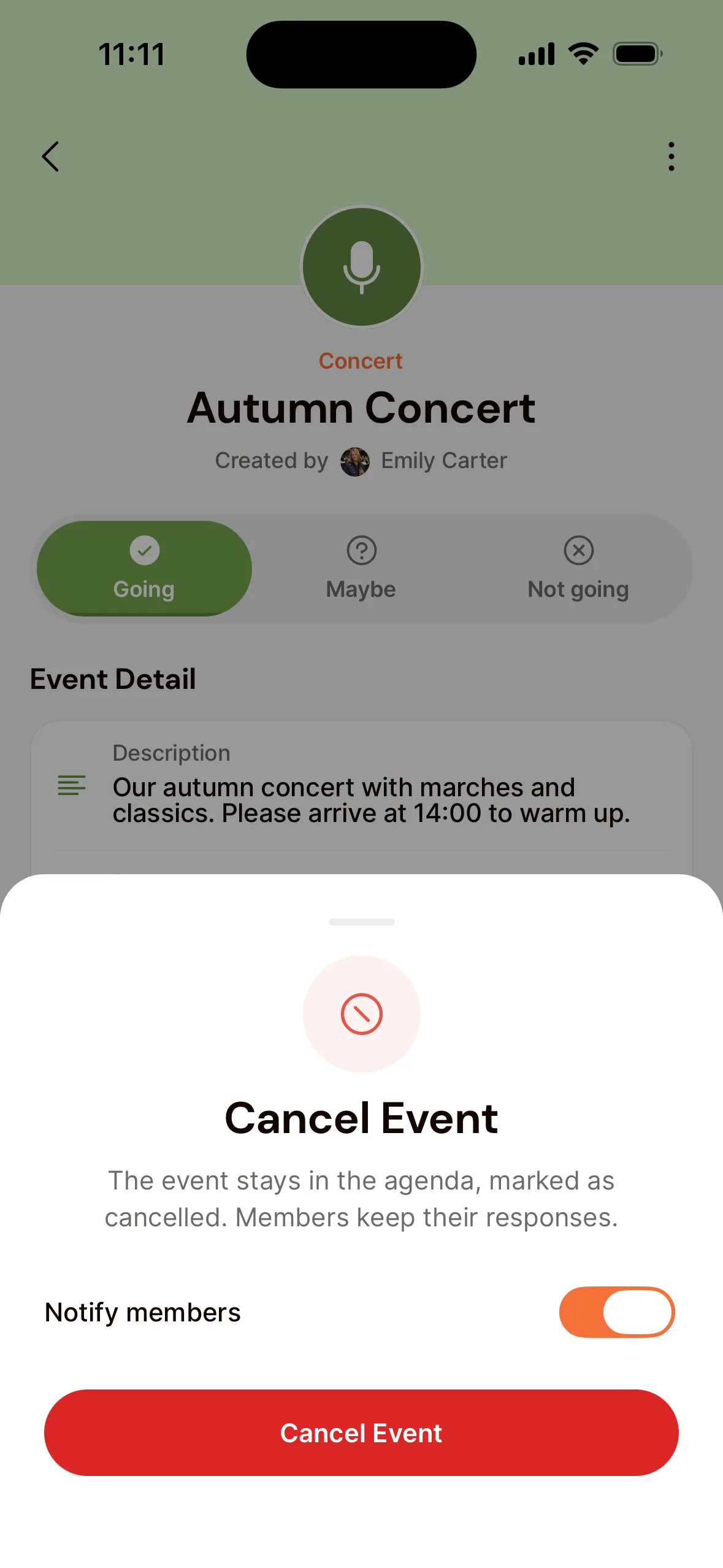
- Open the event and tap the menu in the top right.
- Choose Cancel This Event.
- Leave Notify members on so they get a notification. Tap Cancel Event.
Delete
In the menu, choose Delete This Event, or for a series Delete This and Following Events.
Change
- Go to Agenda in the menu and open the event.
- Click Edit. For a series, choose whether to change only this event, or this one and all following ones.
- Make your changes and save.
Cancel
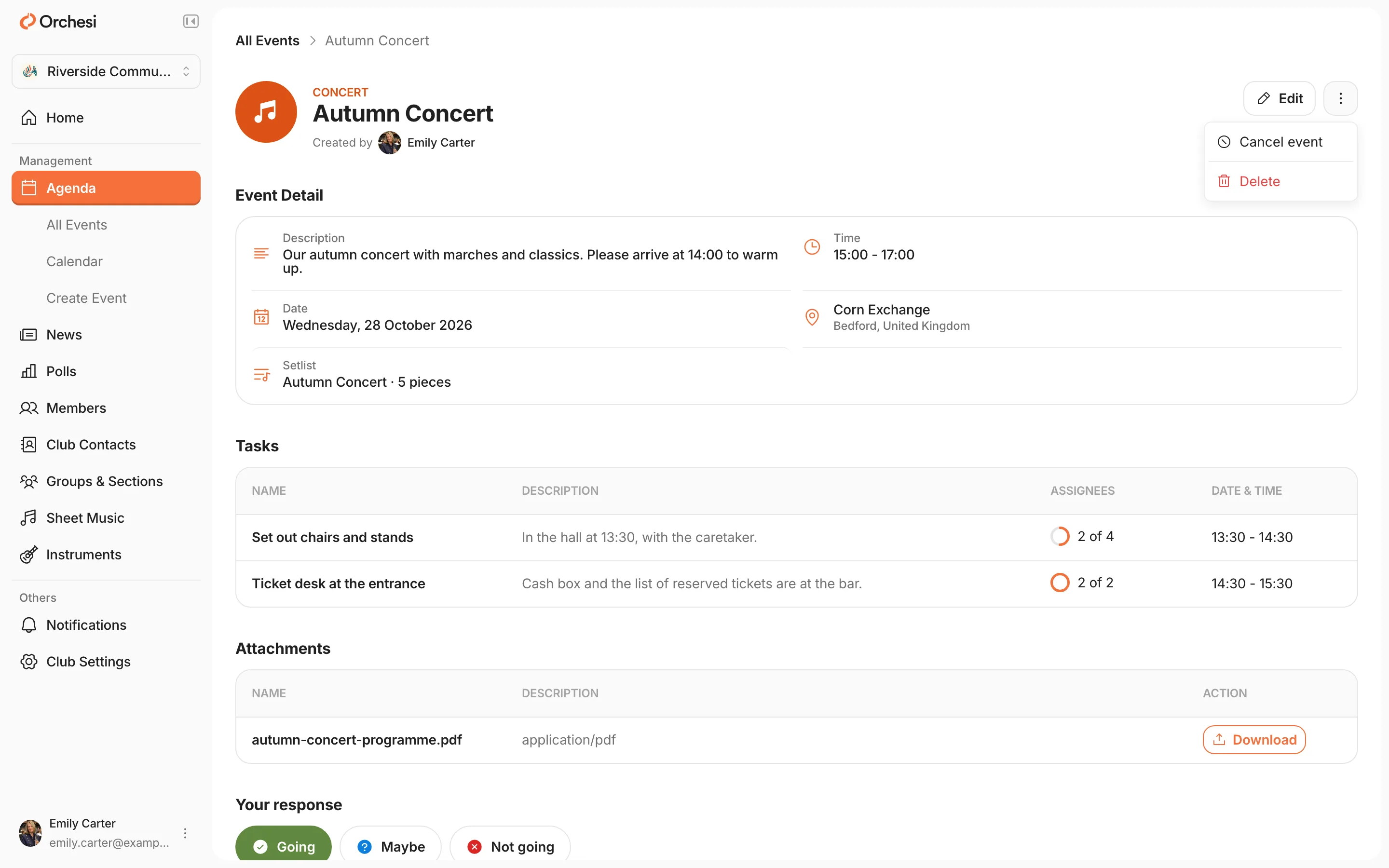
Open the event and click Cancel event. Members keep their response and are told the event is off.
Delete
Open the event and click Delete. For a series, choose to delete just this event or Delete this and all future.
The calendar
Want to see a whole month at once? Under Agenda in the menu, choose Calendar.
Last updated:
Did this article help?
Great, thanks for letting us know!
Thanks! We’ll use this to improve the article.
Still stuck?