Done in about 1 min(How long it takes to do this in Orchesi)
Leave your association or delete your account
Leaving your association, or leaving Orchesi altogether? Here's how, and what happens to your data.
membersFor membersYou could mean two things: leaving one association, or deleting your whole Orchesi account.
Leaving your association
If you’re leaving your association, let the board know. An admin removes you from the association. After that you no longer see its agenda, sheet music or members. Your account stays, so if you’re also in another association, you can carry on there.
Delete your account
Want to leave Orchesi altogether? Delete your account in the app:
- Tap your profile photo in the top left and choose Privacy & Security.
- Choose Delete account.
- Enter your password and type DELETE in capitals.
- Tap Delete my account and confirm.
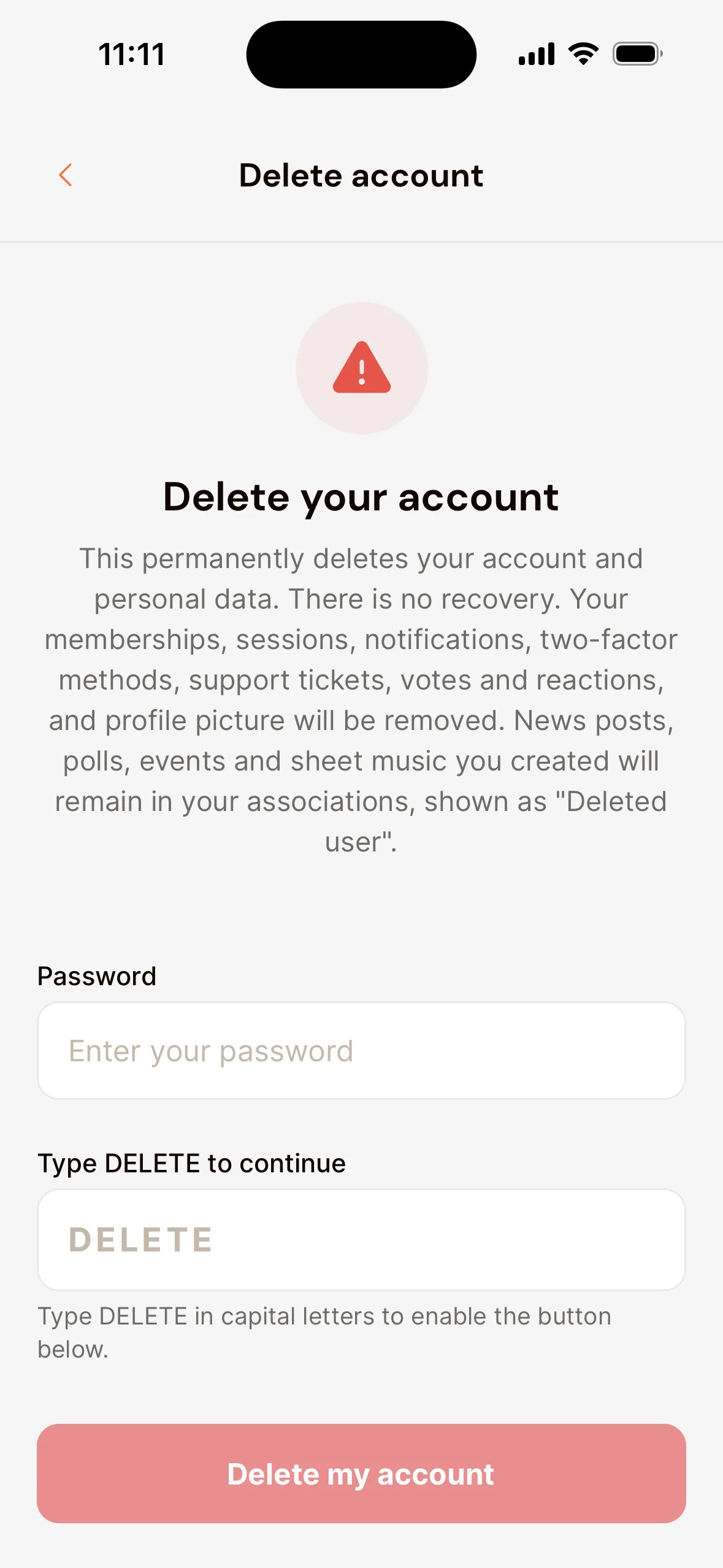
Your account and personal data are then permanently deleted, and so are your memberships. This can’t be undone.
Are you the only admin of an association? Then you can’t delete your account yet. First give someone else the Admin role, or delete the association. See Change the admin when your board changes.
Last updated:
Did this article help?
Great, thanks for letting us know!
Thanks! We’ll use this to improve the article.
Still stuck?