Done in about 1 min(How long it takes to do this in Orchesi)
Get help, report a bug or share an idea
Stuck, something not working, or an idea for Orchesi? Here's how to reach the Orchesi support team.
membersFor membersA quick search in this help center answers most questions. If your answer isn’t here, we’re happy to help.
Ask within your association first
Is your question about your own association, like a rehearsal you can’t see, the wrong section or your dues? The board can help you fastest. Find who to ask under club contacts.
Contact Orchesi, in the app
- Tap your profile photo in the top left and choose Help & Support.
- Tap New Ticket and choose what kind of message it is: Bug Report, Feature Request, Question or Other.
- Enter a Subject and a description. If it’s about a specific association, choose it under Related Association (Optional).
- Tap Submit.
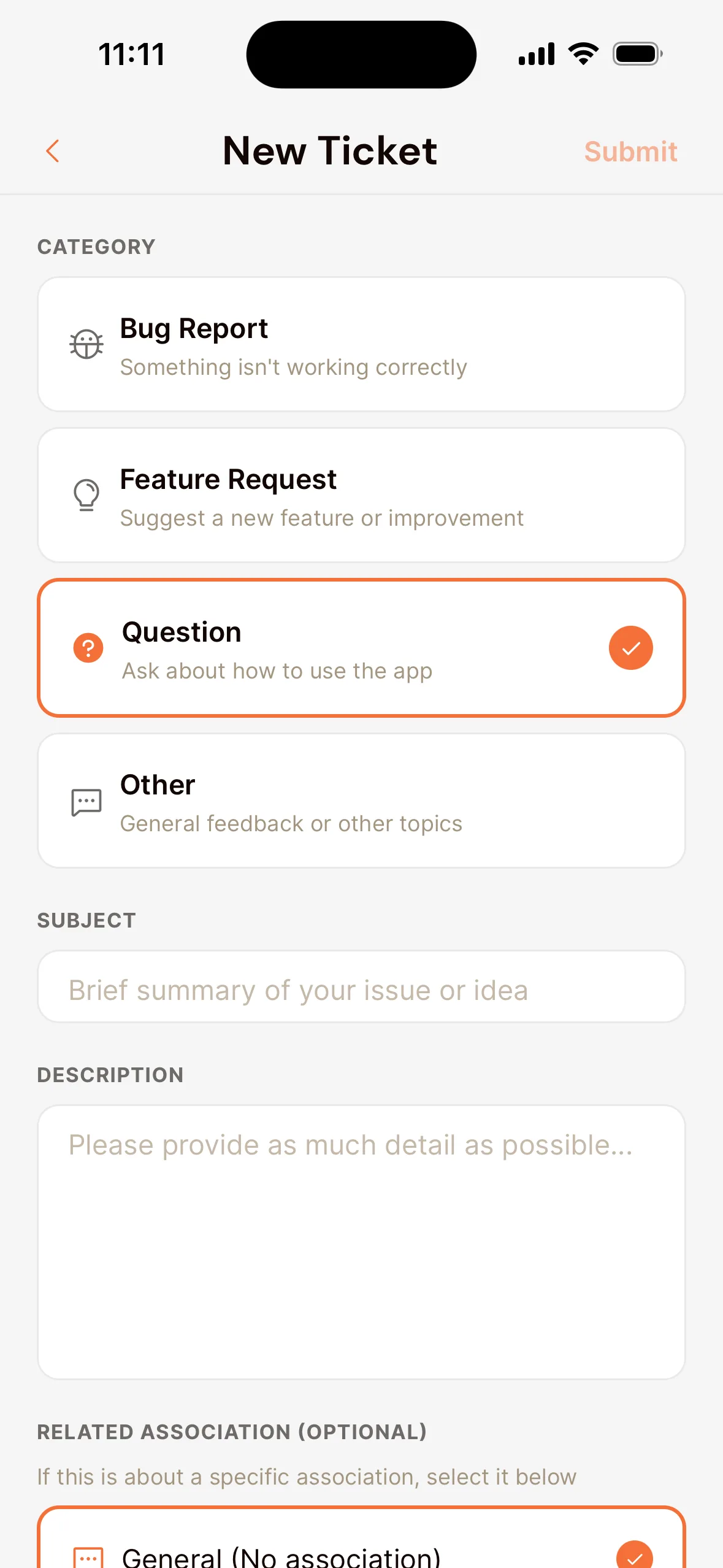
The app automatically includes which device and app version you use, so we can track down a bug faster. Under Help & Support you also see your earlier tickets, their status and our reply.
On the computer
Click Need help? in the bottom right of this help center. Describe your question, and we’ll get back to you.
Tip for a bug: write down what you did, what you expected and what happened. A screenshot helps too.
Last updated:
Did this article help?
Great, thanks for letting us know!
Thanks! We’ll use this to improve the article.
Still stuck?