Done in about 1 min(How long it takes to do this in Orchesi)
Tasks, attachments and directions to a rehearsal
Sign up for a task like setting up chairs, open the attachments for a rehearsal or concert and get directions to the venue in one tap.
Where do you use Orchesi?
A rehearsal or concert is more than a date. The board can add tasks to it, like setting up or making coffee, and attach files, like directions or the program.
Help out with a task
- Open the rehearsal or concert in the Agenda.
- Under Tasks you see what still needs doing, and how many spots are left.
- Swipe a task to the right, or tap Join. The task is now yours.
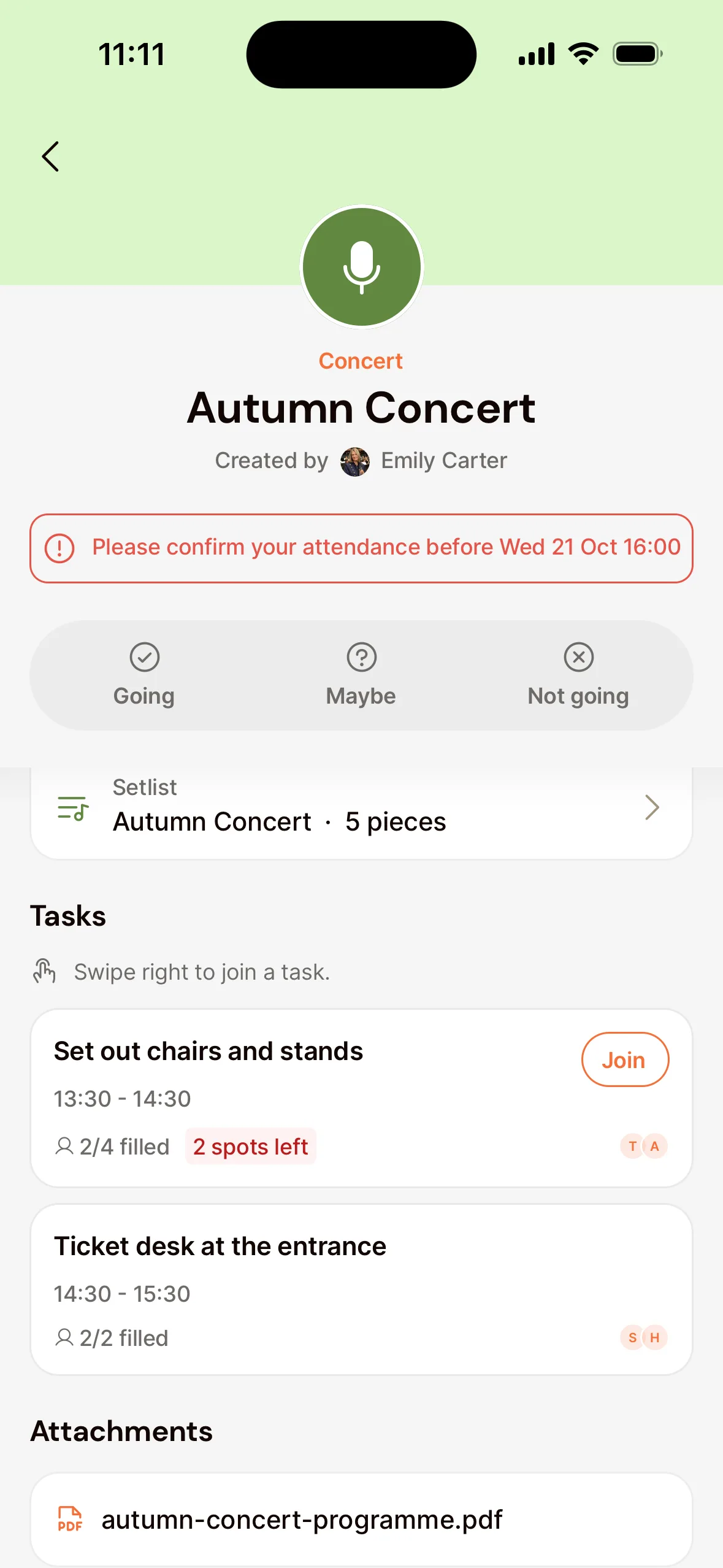
With VoiceOver or TalkBack, choose the action Join task on the task. If you’re already on it or it’s full, the app says so.
If the board put you on a task, you’ll see Assigned to you. Your tasks also appear on the Home tab, under Your Tasks.
Can’t make it after all? Open the task and take yourself off, so your spot opens up for someone else.
Attachments and the venue
- Under Attachments you find the files for the event. Tap one to open it. A Word, Excel, PowerPoint or CSV file opens in the app you use for that kind of file.
- Under Event Venue, tap Navigate. Your maps app opens with directions.
See tasks and attachments
- Go to Agenda in the menu and open the rehearsal or concert.
- Under Tasks you see which tasks there are and who’s doing them.
- Under Attachments you open the files for the event. A Word, Excel, PowerPoint or CSV file is downloaded, so you open it in the program for that kind of file.
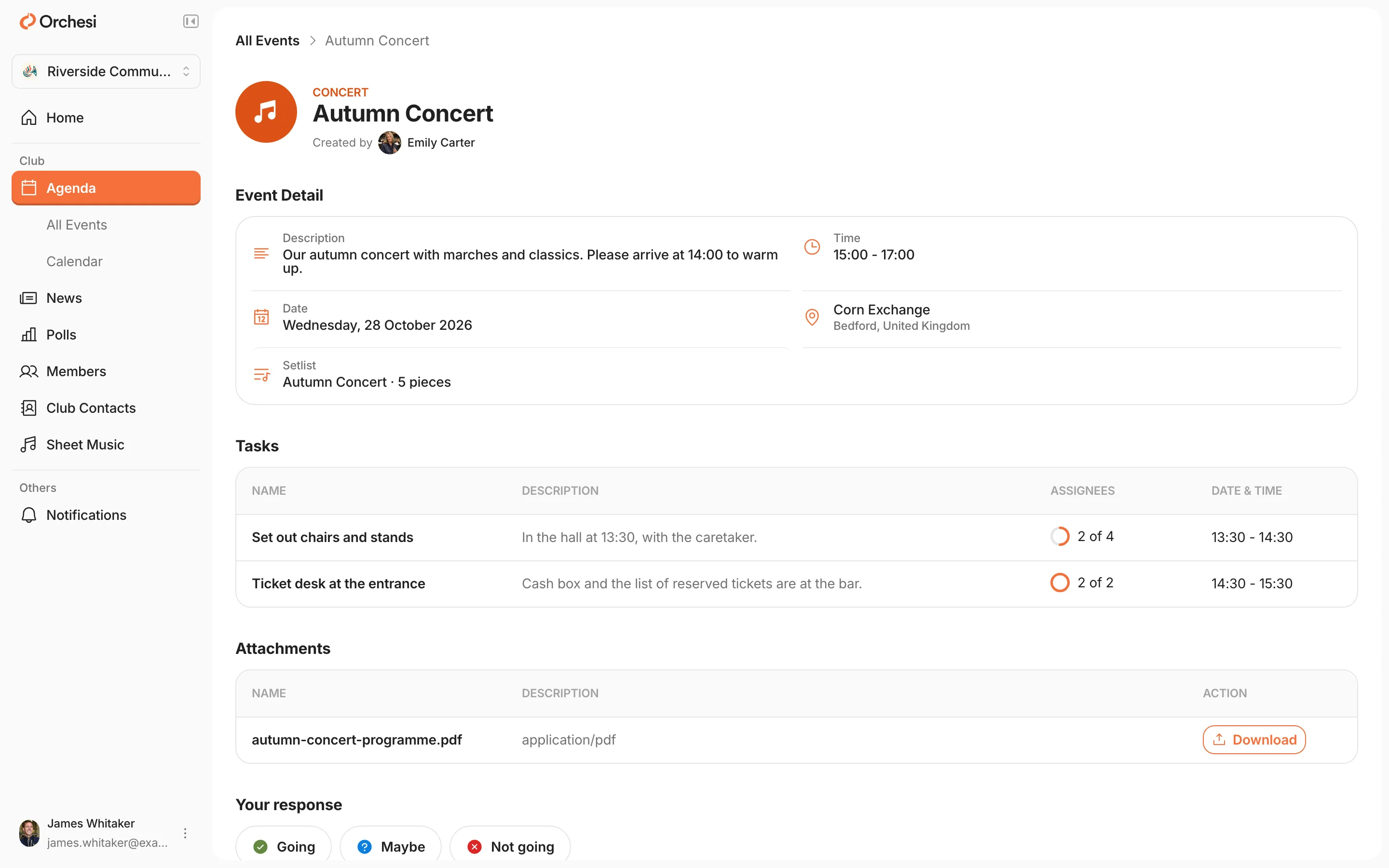
Signing up for a task is done in the app. Choose App at the top of this article.
Rehearsal called off?
Then it’s marked Cancelled, and you’ll usually get a notification about it. The event stays in the agenda, so you can see it’s not happening.
Last updated:
Did this article help?
Great, thanks for letting us know!
Thanks! We’ll use this to improve the article.
Still stuck?