Step 4 of 6 · Getting started as a memberDone in about 1 min(How long it takes to do this in Orchesi)
Say whether you're coming to a rehearsal
Sign up or decline for a rehearsal or concert with one swipe, give a reason when you can't make it and change your answer later.
Where do you use Orchesi?
Let your association know whether you’re coming, so the conductor knows in time who’ll be there. It takes a few seconds per rehearsal.
Quick: swipe in the agenda
- Open the Agenda tab.
- Swipe a rehearsal or concert to the right to attend, or to the left to decline.
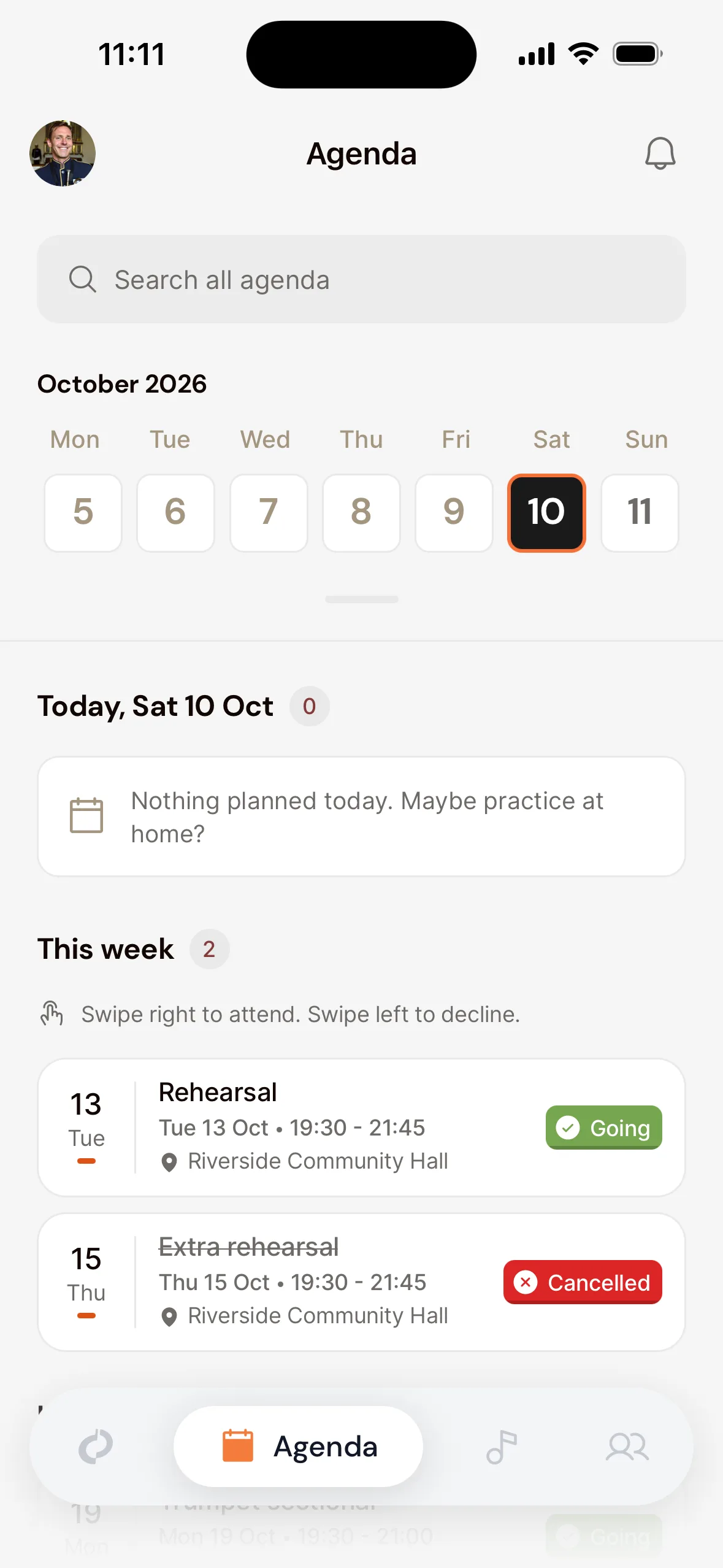
Using VoiceOver or TalkBack? Swiping then moves between items, so the card offers the swipe as an action instead: choose Mark as going or Mark as not going from the actions (the rotor in VoiceOver, the actions menu in TalkBack). If an action can’t be done right now, for example after the response deadline, the app tells you why.
Or through the event
- In the Agenda, tap the rehearsal or concert.
- Choose Going, Not going or Maybe.
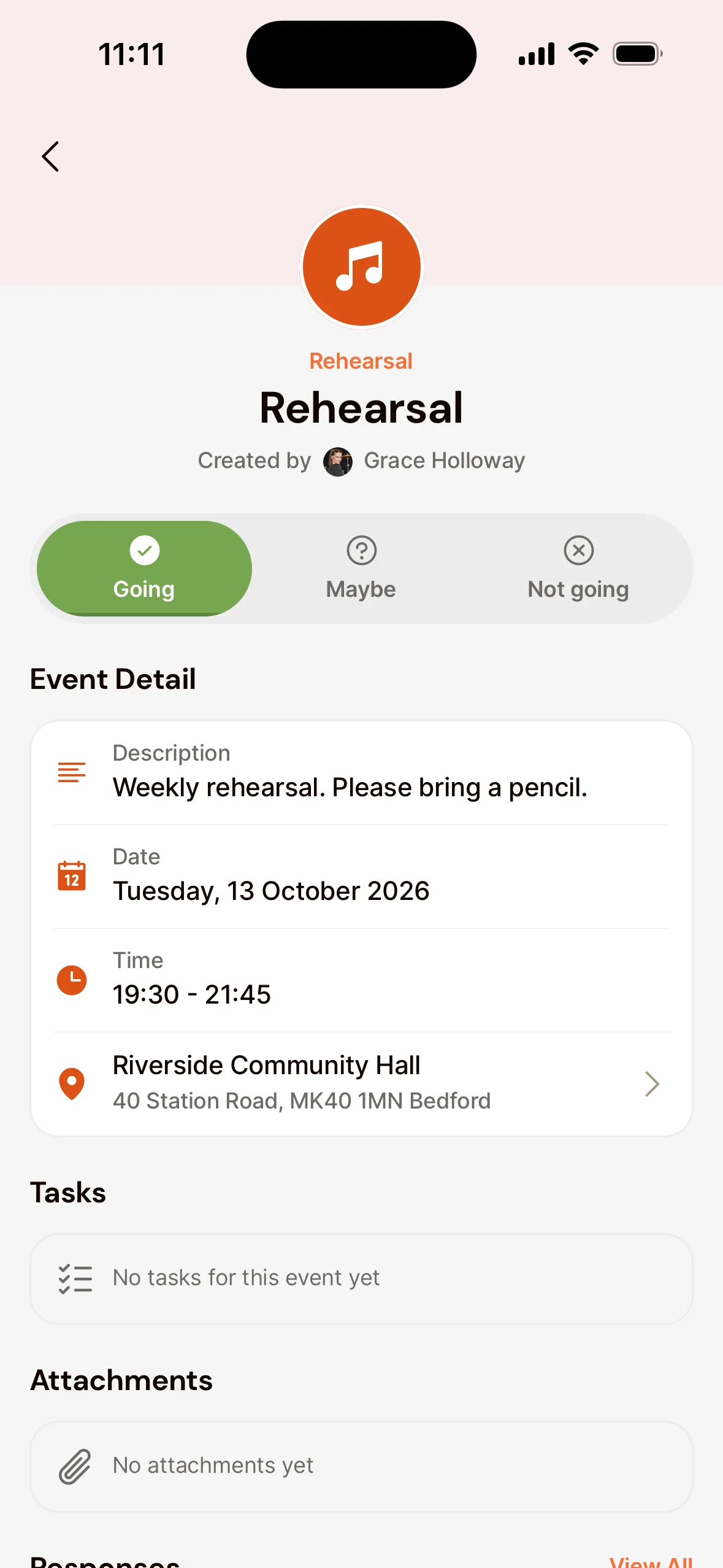
When you can’t make it
If you choose Not going, the app asks Why can’t you attend?. Choose Sick, Work / Study, Vacation or Other, and add a note if you like. That way nobody has to ask you later.
Give your response
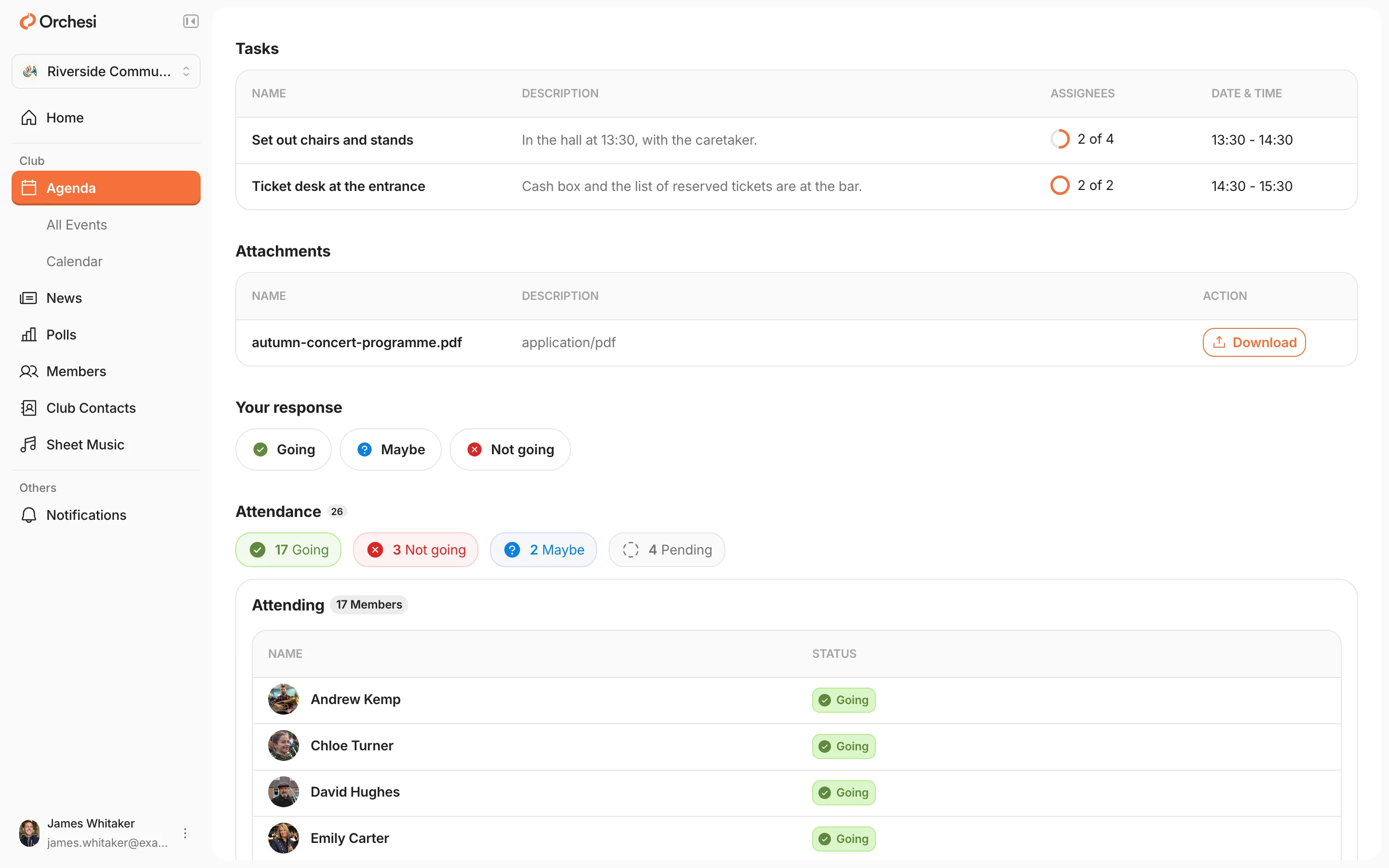
- Go to Agenda in the menu and choose All Events.
- Click the rehearsal or concert.
- Under Your response, click Going, Maybe or Not going. Your choice is filled in with its colour, so you can see what you answered.
Changed your mind?
You can change your answer until the rehearsal starts. Sometimes the board sets a response deadline; after that you can’t change your answer yourself. Just let the board or your conductor know.
Can’t see who else is coming?
For some events the board keeps attendance to itself. You then see Attendance is hidden instead of the others’ responses. You still give your own answer as always; the agenda’s managers see who’s coming.
Can’t see a rehearsal, or can’t respond?
You only see the events of the groups you’re in. Missing rehearsals, or does it say you’re not on the invite list? Ask the board to add you to the right group or section.
Last updated:
Did this article help?
Great, thanks for letting us know!
Thanks! We’ll use this to improve the article.
Still stuck?
All steps
Getting started as a member
- Join your association in Orchesi
- Find your way around Orchesi
- Set up your profile and notifications
- 4Say whether you're coming to a rehearsal
- 5Add the agenda to your own calendaroptional
- 6Find the sheet music for your part