Step 2 of 6 · Getting started as a memberDone in about 2 min(How long it takes to do this in Orchesi)
Find your way around Orchesi
Where's the agenda, where do you find your sheet music and where do you edit your profile? A two-minute tour of the app and the web app.
Where do you use Orchesi?
You’re in. Here’s where everything is. For most members, Orchesi comes down to three things: seeing what’s planned, saying whether you’re coming and opening your sheet music.
The four tabs at the bottom
- Home: your overview, with what’s on today and coming up.
- Agenda: all rehearsals, concerts and other activities. This is also where you say whether you’re coming.
- Music: your sheet music and the setlists for concerts.
- Club: the members, news, polls and club contacts of your association.
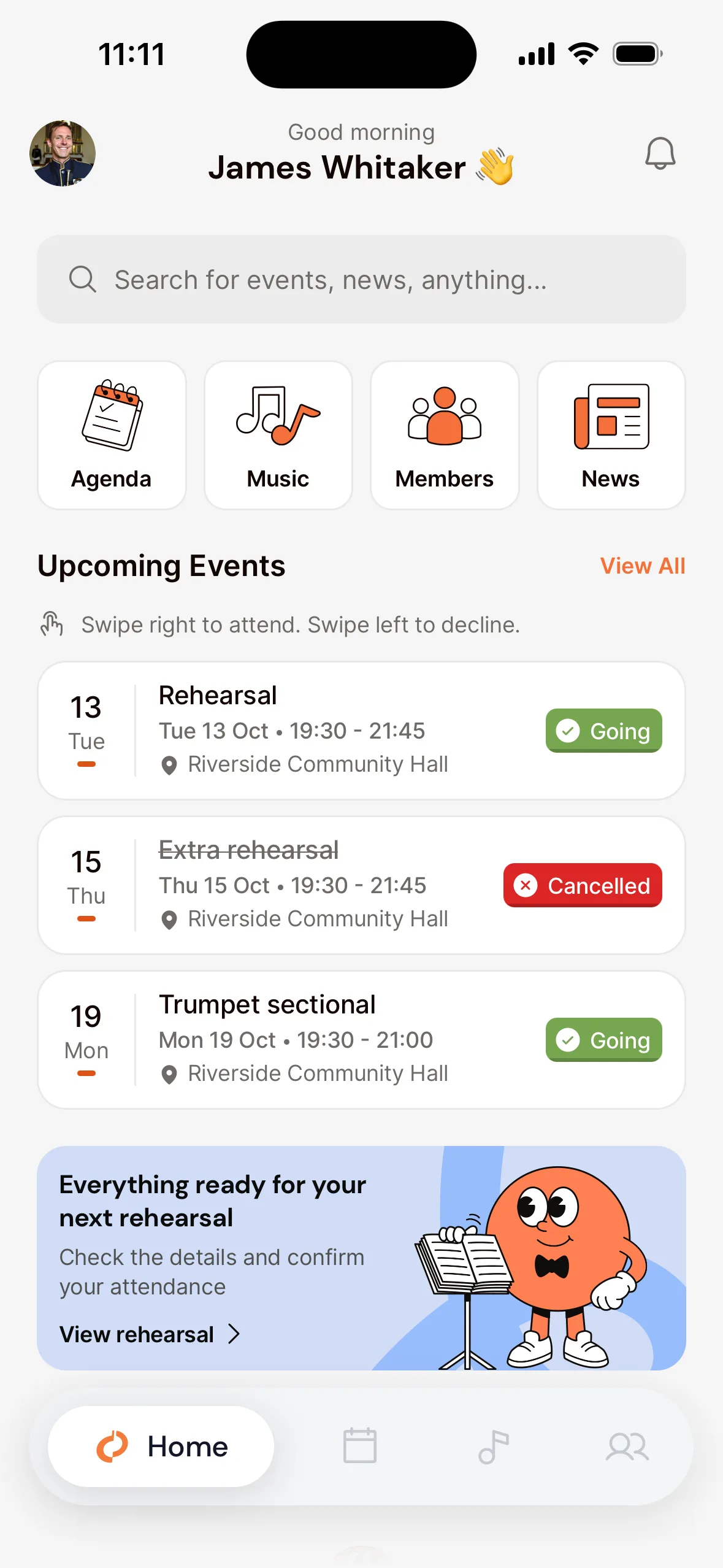
At the top
- Your profile photo, top left, opens your profile. That’s where you edit your details and set up notifications and privacy.
- The bell, top right, shows your notifications, for example a new rehearsal or a schedule change.
- The search bar on Home searches events, members, polls and sheet music at once.
The menu
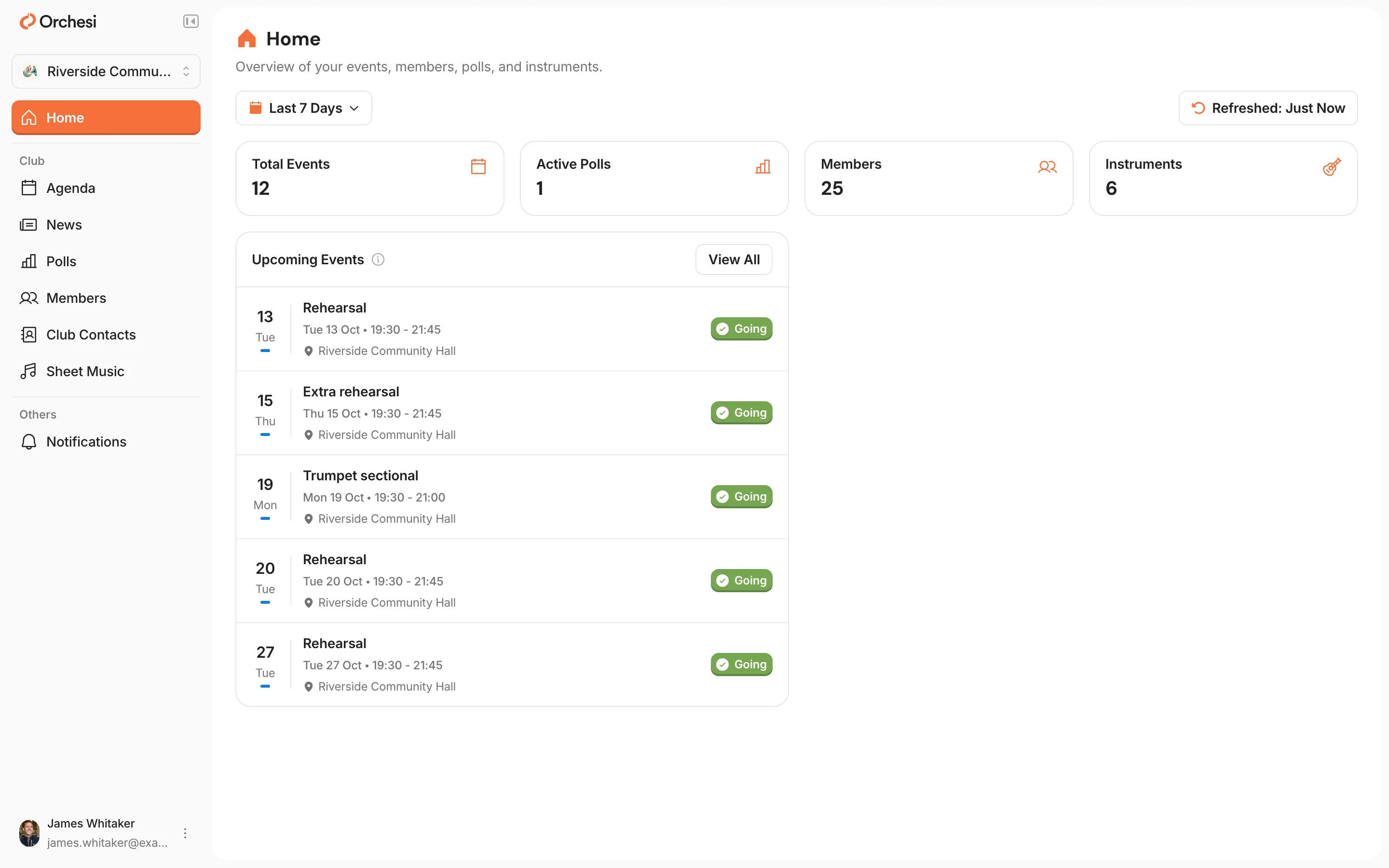
On your computer, go to orchesi.app and sign in. In the menu you’ll find, among other things:
- Agenda: all rehearsals, concerts and other activities. This is also where you say whether you’re coming.
- Sheet Music: your sheet music and the setlists for concerts.
- News and Polls: your association’s posts, and the polls you can vote in.
- Members and Club Contacts: your fellow members and who to ask about what.
- Notifications: what’s new for you, and your notification settings.
- Click your name at the bottom of the menu for View Profile (your own details), My Instruments and Settings.
Tip: install the app on your phone if you haven’t yet. You’ll get a reminder for every rehearsal and have your sheet music with you at all times. The app is free on the App Store and Google Play.
Last updated:
Did this article help?
Great, thanks for letting us know!
Thanks! We’ll use this to improve the article.
Still stuck?
All steps
Getting started as a member
- Join your association in Orchesi
- 2Find your way around Orchesi
- 3Set up your profile and notifications
- 4Say whether you're coming to a rehearsal
- 5Add the agenda to your own calendaroptional
- 6Find the sheet music for your part