Done in about 2 min(How long it takes to do this in Orchesi)
Give homework after a rehearsal
Note points to practise during or after a rehearsal and send them to your members as homework, for everyone or per section.
Where do you use Orchesi?
“Trumpets, bars 112 to 130 once more at home.” Instead of calling it out at the end of the rehearsal, you note it in Orchesi. After the rehearsal you send all points at once, and every member gets the points for their own section, with a link to their part.
Homework comes from the conductor, for the rehearsals of their own groups. A conductor of the whole association can give it for every rehearsal. It works for rehearsals, from 30 minutes before the start until 7 days after the end.
Note points during the rehearsal
- Open the rehearsal in the Agenda. During the rehearsal you can also tap the card on Home. Right under the title is the Homework block.
- Tap Note.
- At the top, choose About a piece or General. Under About a piece, the pieces of the setlist and of earlier homework come first, otherwise pieces from the library. Piece not there? Use Find another piece.
- Fill in the Bars, for example 112–130, and choose For whom: Everyone or a section.
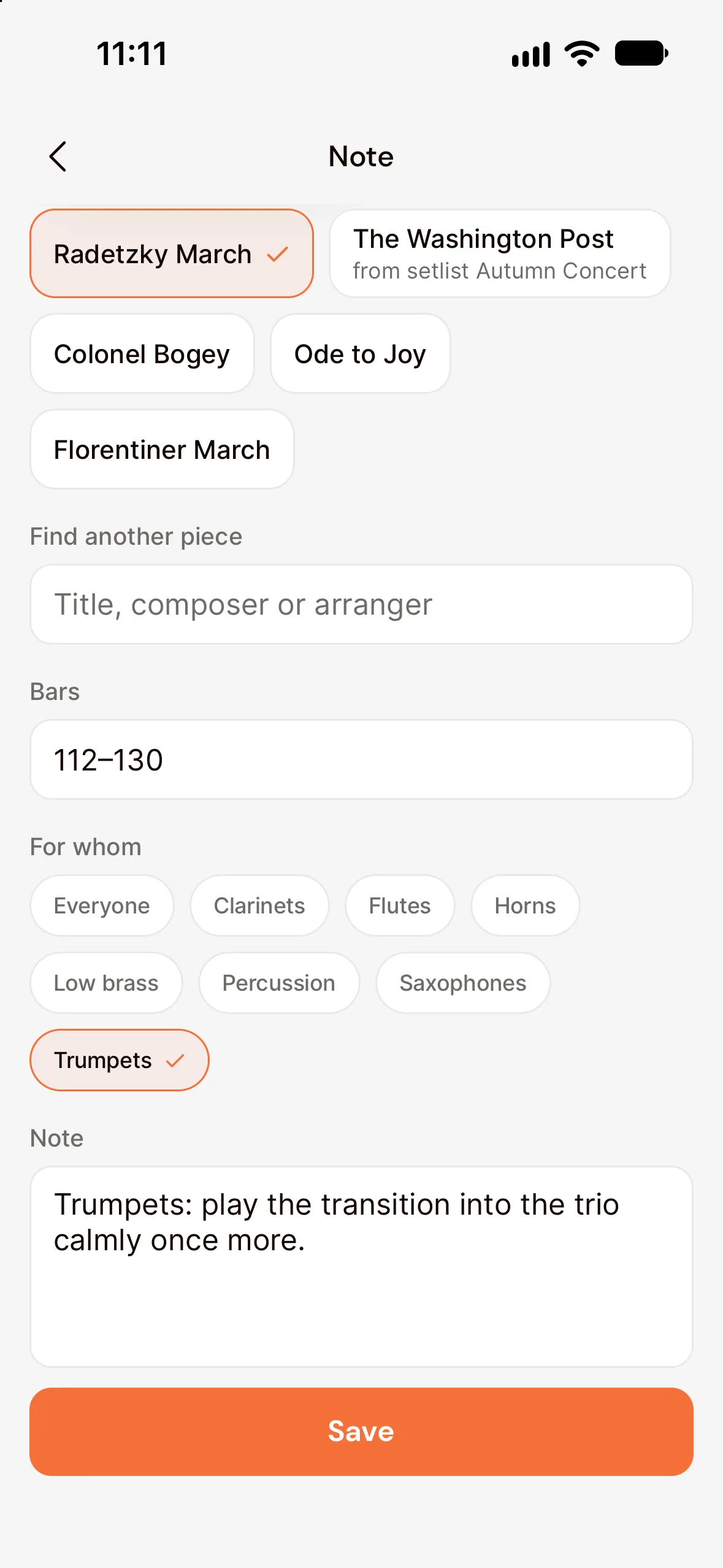
- Write the Note. Don’t name anyone: the note goes to the whole section. You can also dictate with your keyboard’s microphone.
- Tap Save. Members don’t see anything yet.
No connection in the rehearsal room? The note is saved on your phone and shows WAITING FOR CONNECTION until it’s passed on.
Send the homework
- After the rehearsal, open it again, or tap the notification Rehearsal finished. In the Homework block, tap Send homework. Nothing noted during the rehearsal? Tap Give homework and add the points now.
- You see your notes per piece. Change one with Change, delete it with Remove, or add one with Another note. Under Homework from previous rehearsal, Take over … brings back points from last time, as drafts.
- Tap Send to …, with the number of members. Members get one notification for all points together.
Check and send the homework
You note points in the app. In the web app you check them and send them:
- Go to Agenda in the menu and open the rehearsal. Once there are notes, it has a Homework section.
- Change the Bars or the Note of a point with Change and Save, or delete a point with Remove.
- Click Send to …, with the number of members. Members get one notification for all points together.
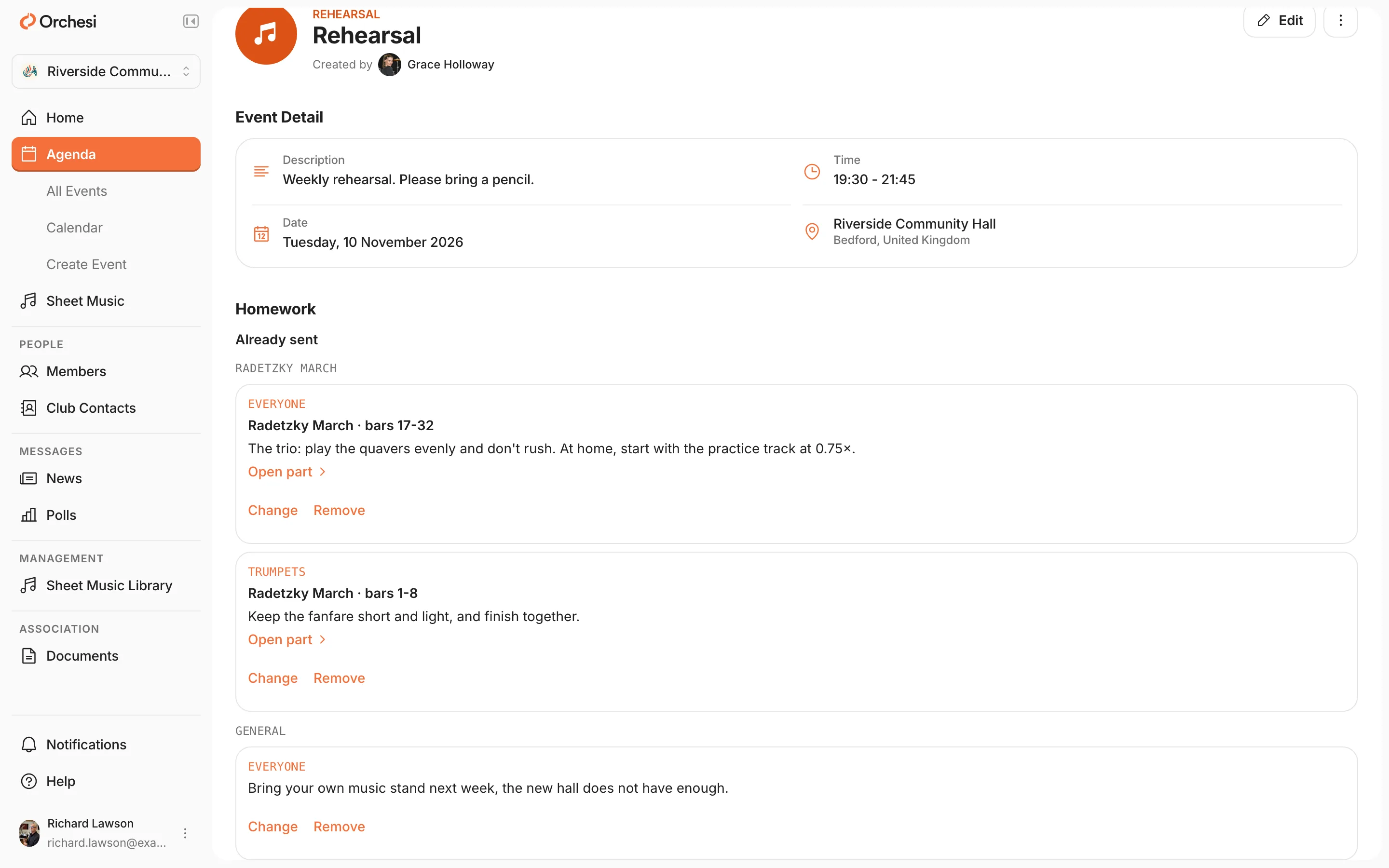
Points you already sent are under Already sent.
What members see
Members see the points for their section, and the points for everyone, on Home in the app, at the rehearsal and at the top of the piece, under Homework for this piece. Open part takes them to their own part. See Find the sheet music for your part.
Good to know: after sending, a note can still be changed or removed by whoever wrote it, until a week after the rehearsal.
Last updated:
Did this article help?
Great, thanks for letting us know!
Thanks! We’ll use this to improve the article.
Still stuck?