Done in about 1 min(How long it takes to do this in Orchesi)
Invite guests for a concert or rehearsal
A stand-in, soloist or guest conductor? Give a guest access to only the events you choose. Guests don't count toward your subscription.
Where do you use Orchesi?
Is a stand-in joining for the concert, or are you welcoming a soloist or a guest conductor? Invite them as a guest. A guest takes part in the events you choose, without seeing the rest of your association.
How a guest works:
- A guest only sees the events you invite them to, and the sheet music that goes with them. News posts, polls, groups and the rest of the agenda stay hidden.
- Guests don’t count toward your subscription. You only pay for your regular members.
- Access ends by itself once the guest’s last event is over. There’s nothing to clean up.
Invite a guest
- In the app, go to Members and tap +.
- Choose By Email and enter the guest’s email address.
- Turn on Invite as guest member.
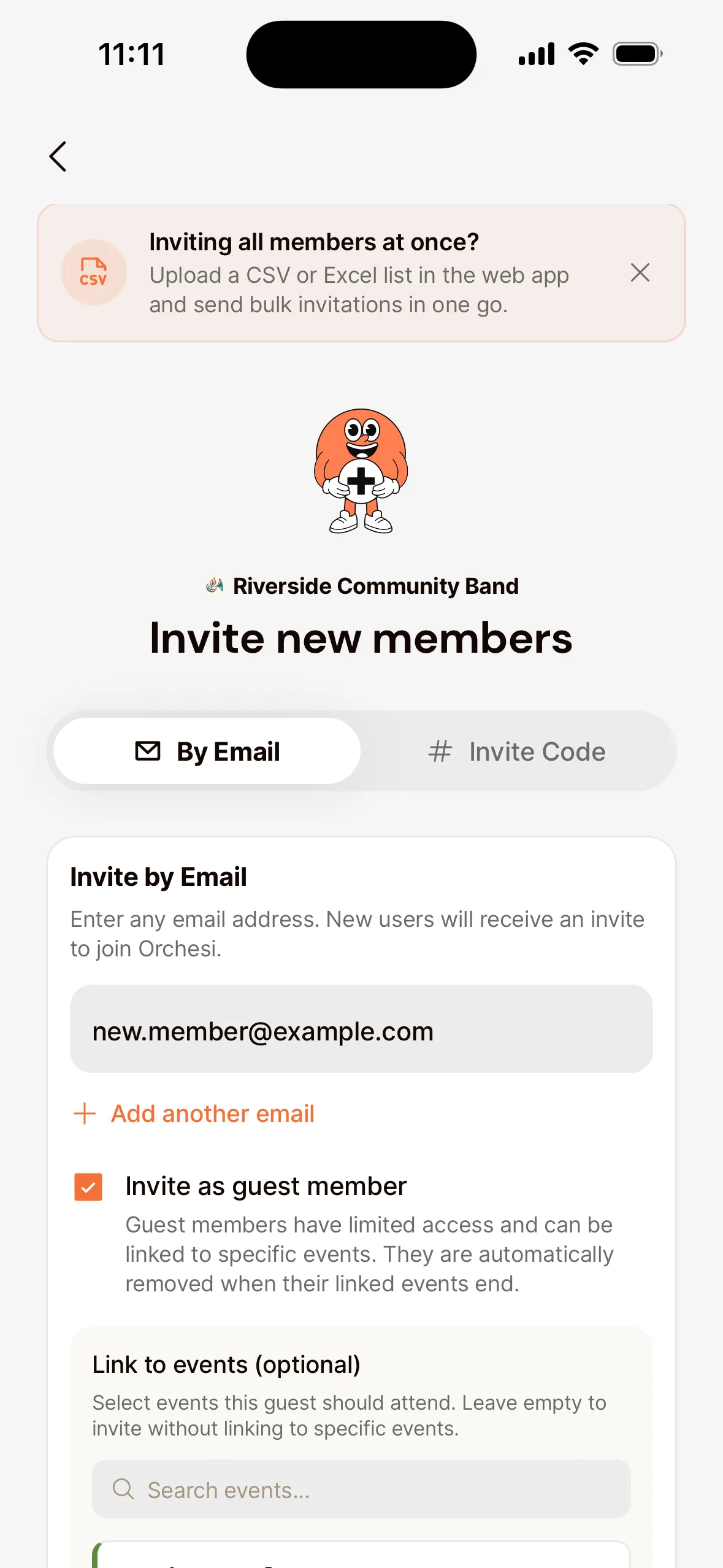
- Under Link to events, choose the rehearsals and the concert you’re inviting the guest to. Don’t leave this empty: without linked events, the guest sees nothing.
- Tap Send Invitation.
Invite a guest
- Go to Members in the menu and click Add Member.
- Under By Email, enter the guest’s email address.
- Turn on Invite as guest.
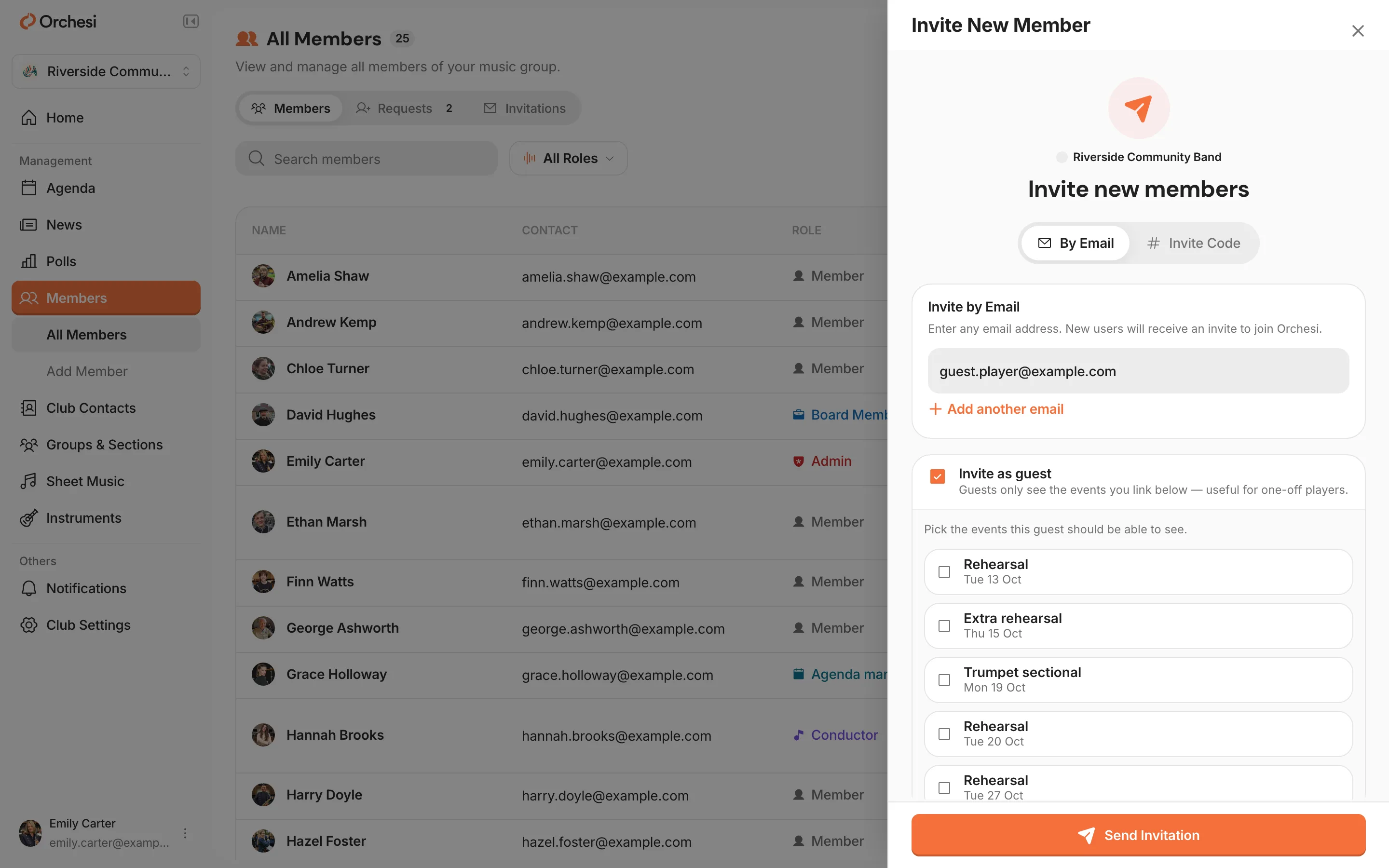
- Choose the rehearsals and the concert you’re inviting the guest to. You pick at least one event.
- Click Send Invitation.
The guest gets an email, creates an account or signs in, and then sees only the events you chose.
Make a guest a full member
Is a stand-in staying for good? Open the guest’s details and choose Promote to Member, then confirm. The guest gets full access to your association and from then on counts as a regular member in your subscription. This works while the guest still has an upcoming event.
Is the same guest coming back later?
Just send a new guest invitation to the same email address, with the new events. The guest uses their existing account; there’s nothing to set up again.
Tip: plan the rehearsals and the concert in the agenda first. Then you can pick them straight away when you invite.
Last updated:
Did this article help?
Great, thanks for letting us know!
Thanks! We’ll use this to improve the article.
Still stuck?