Done in about 2 min(How long it takes to do this in Orchesi)
Organize, update and remove members
Move an existing member to another group or section, approve sign-ups, cancel an invitation or remove someone from the association.
Where do you use Orchesi?
Members switch sections, join an extra ensemble or leave. Here’s how to keep your member list up to date. That matters, because groups and sections decide who sees which rehearsals and sheet music.
Put a member in a group or section
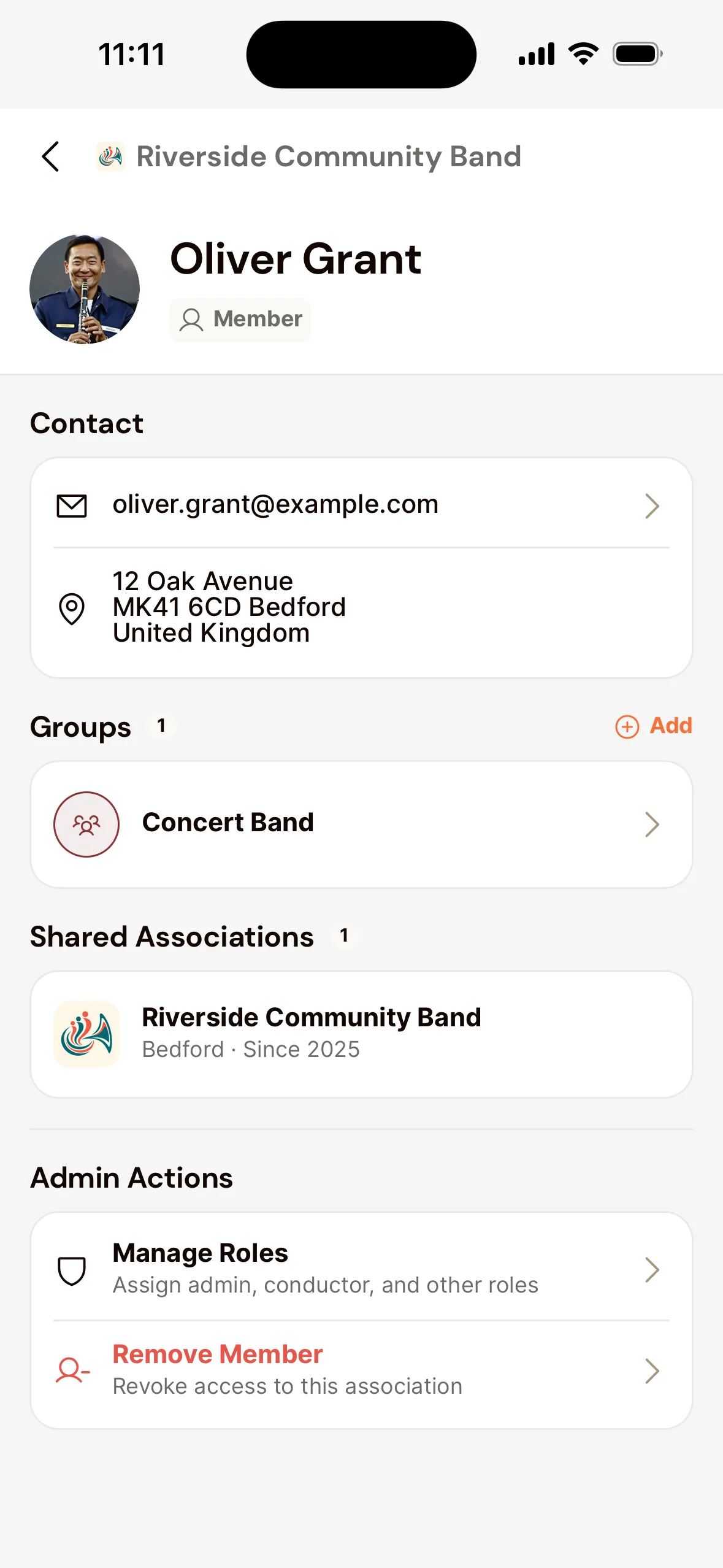
- Open the Club tab, choose Members and tap the member.
- Tap the plus next to Groups to add the member to a group, then choose the sections.
- Tap a group the member is already in to change their sections, or to take them out of that group.
Sign-ups and invitations
Besides Members, the members page has two more tabs:
- Requests: people who signed up with the invite code. Tap Approve or Deny, or swipe right or left. When you approve, you choose their groups, sections and roles right away.
- Invites: who hasn’t accepted their invitation yet, and when it expires. Tap an invitation to cancel it.
Remove a member
Open the member and tap Remove Member under the admin actions. They lose access to your association right away, and need a new invitation to come back.
Put a member in a group
- Go to Members in the menu and open the member.
- Under Groups, click Add and choose the groups.
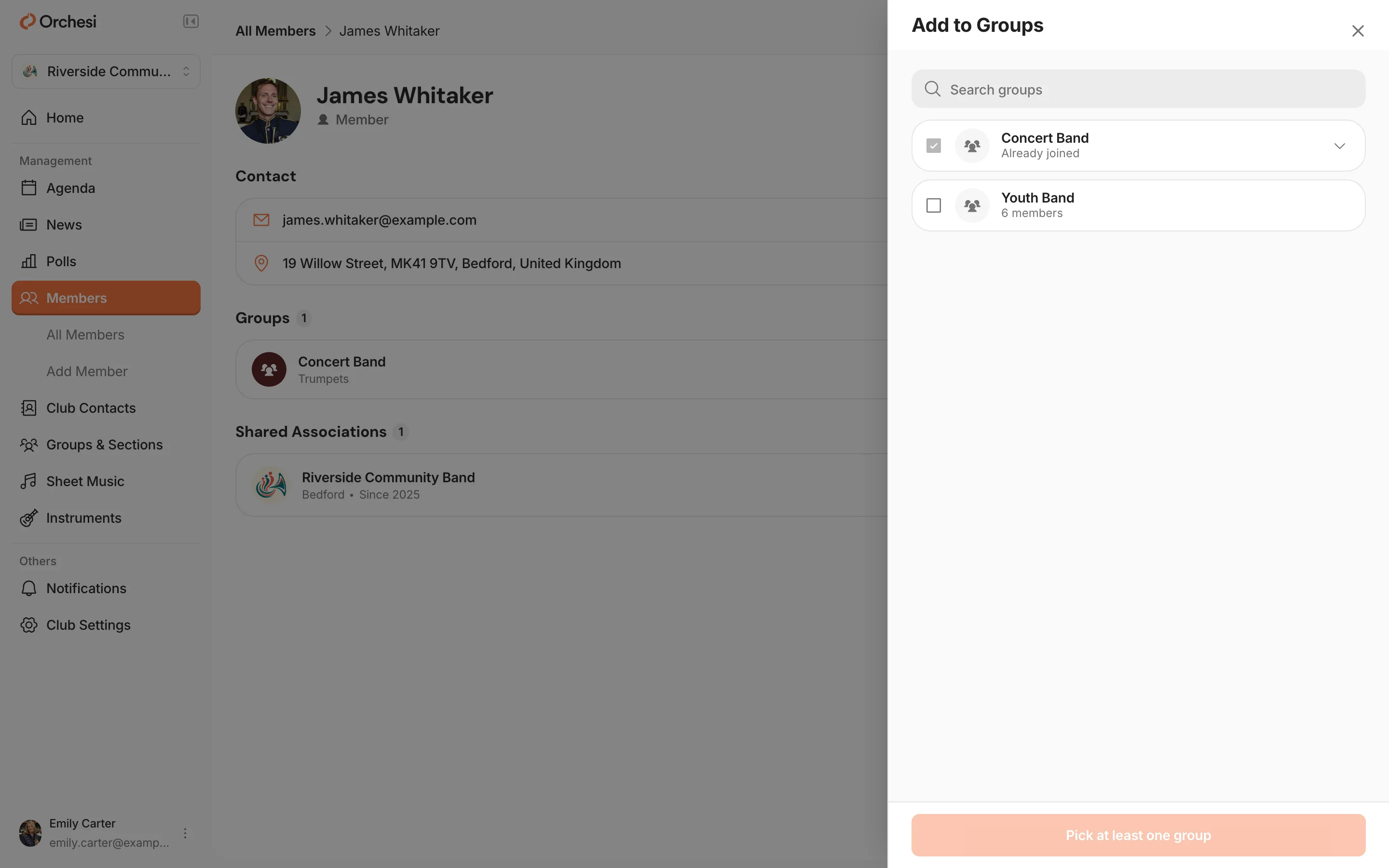
Sections are changed through the group: go to Groups & Sections, open the group and the section, and add the member there.
Sign-ups and invitations
Besides Members, the members page has two more tabs:
- Requests: people who signed up with the invite code. Click Approve or Deny. When you approve, you choose their groups, sections and roles right away.
- Invitations: who hasn’t accepted their invitation yet, and when it expires. Use Cancel invitation if it’s no longer needed.
Remove a member
Open the member and click Delete. They lose access to your association right away.
Good to know: a removed member no longer counts toward your subscription. Their account does stay, so if they’re also in another association, nothing changes for them there.
Last updated:
Did this article help?
Great, thanks for letting us know!
Thanks! We’ll use this to improve the article.
Still stuck?